

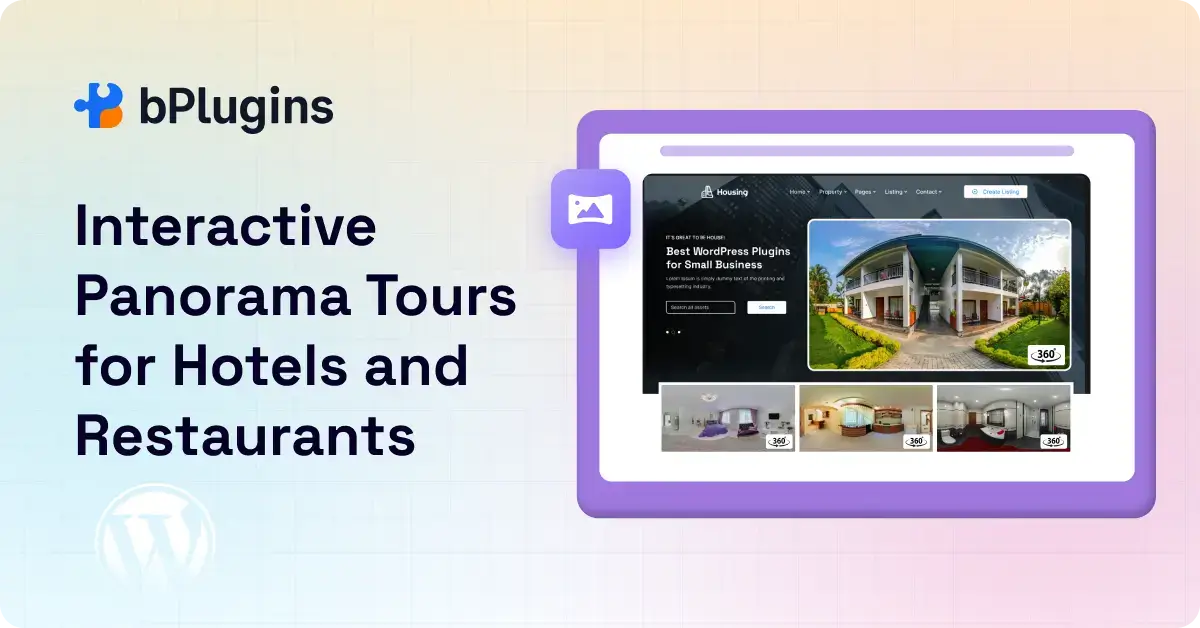
Think about the last time you booked a hotel or chose a restaurant for a special night out. You probably spent more time looking at photos than anything else.
But photos only show one angle. A carefully framed shot can look stunning while hiding a cramped room or a noisy table right next to the kitchen. Guests know this. That’s exactly why a polished photo gallery no longer builds the kind of trust it used to.
Today’s guests want to look around. They want to open a room page, drag the screen left and right, peek into the bathroom, check the window view, and feel like they’ve already visited. That’s what a 360° virtual tour gives them.
The good news is that if your hotel or restaurant runs on WordPress, you don’t need a development team or a large budget to make this work. A good 360° panorama plugin for WordPress handles the technical side. You shoot the images, the plugin does the rest.
In this guide, we’ll walk through why 360° experiences are changing hospitality marketing, how hotels and restaurants are using them, and how you can set one up on your WordPress site without touching a line of code.
What Is a 360° Panorama Plugin?
Before we get into the hospitality side, let’s get clear on what a 360° panorama viewer plugin actually does.
Most hotel websites use a standard image gallery. You click through photos, each shot from a fixed angle. It’s fine, but it’s passive. The guest just watches.
A 360° panorama works differently. Instead of a flat image, visitors see a spherical photo that wraps around them. They can drag it in any direction: left, right, up, down. They control where they look. That shift from passive to interactive changes everything about how a guest experiences your space.
A hotel virtual tour on WordPress takes this further. Instead of one room, guests can move between spaces: from the lobby to a suite, then to the rooftop pool, then to the restaurant. Hotspots work as clickable doorways that link one scene to the next.
Here’s how the main options compare:
- Static photo gallery: Quick to build, but limited. One angle, no depth.
- Video walkthrough: More engaging, but the guest is just watching. They can’t explore freely.
- 360° panorama: Interactive and exploratory. The guest controls the view.
- Full virtual tour: Multiple panoramas connected with navigation. The closest experience to physically being there.
All of this works on mobile, which matters because most people browse on their phones.
Why Hotels and Restaurants Are Investing in Virtual Experiences
Travelers do a lot of research before they book
People rarely book without looking around first. Before a traveler confirms a reservation, they’ve checked your site, read reviews, scrolled through social media, and likely visited a competitor’s page too. They’re comparing everything.
Visual trust plays a real role in hospitality. When a guest can explore your property before booking, uncertainty drops. They know what the room actually looks like. They can see whether the dining atmosphere matches what they’re after. That confidence turns into reservations.
Research by Google found that virtual tours generate twice the interest compared to listings without them, and that guests consider properties with virtual tours more trustworthy. In a competitive market, that’s a meaningful advantage.
Restaurants sell atmosphere as much as food
Food is central to any restaurant. But people also choose a restaurant based on how it feels. Is it cozy or open? Romantic or casual? Is the outdoor seating actually nice, or just a couple of tables on a noisy pavement?
A 360° restaurant view on your website answers all of that before a guest even picks up the phone. That transparency builds confidence. People feel like they already know the place, and that familiarity makes them more likely to show up.
Social media has raised the bar
Instagram and TikTok have pushed hospitality marketing into more immersive territory. Audiences expect high-quality, engaging visuals. Static photos feel flat by comparison.
Interactive content also keeps people on your site longer. The more time someone spends exploring your pages, the stronger their connection to your property. That’s not just a feel-good stat. It directly affects bookings.
Check also How Product Photographers Can Use 3D Spin Views Instead of Multiple Images.
Benefits of Using a 360° Panorama Plugin on Your Hospitality Website
It increases direct bookings
When guests can explore your space in detail before booking, hesitation drops. They book with confidence. And direct bookings mean no commission fees to third-party platforms.
It builds trust faster
Transparency works in your favor. A guest who has already walked through your lobby, checked the view from a suite, and browsed the restaurant has no surprises waiting at check-in. Fewer surprises mean fewer bad reviews.
It keeps visitors on your site longer
Interactive content holds attention. Someone who planned to spend 30 seconds on your room page might spend several minutes exploring a virtual tour. That increase in session time sends positive signals to search engines and keeps your property in the guest’s mind.
It highlights what makes your property unique
Not every hotel has a rooftop bar or a beachfront pool. Not every restaurant has a private dining room or a garden terrace. A 360° tour puts those features front and center in a way a single photo never could.
A few spaces worth showcasing:
- Luxury suites and penthouse rooms
- Rooftop restaurants and bars
- Spa and wellness areas
- Pool areas and beach access
- Wedding and banquet halls
- Private dining rooms
- Outdoor terraces and garden seating
It reduces pre-booking questions
Guests who can self-explore don’t need to email you asking whether the room has a bathtub or how large the event hall is. That cuts inquiry volume and saves your team real time.
How Hotels Use 360° Panorama Plugins on WordPress
Here’s how hotels are putting this to work across their websites.
Virtual room tours: Guests can walk through standard rooms, suites, and family rooms before choosing. When someone can see the actual room size, lighting, and bathroom layout, they book with more confidence and upgrade more readily.
Lobby and reception walkthroughs: First impressions shape expectations. A panoramic lobby tour sets the tone before a guest even arrives. It’s an emotional hook for anyone still comparing properties.
Resort amenity showcases: Pools, gyms, spas, co-working lounges, and conference halls. Guests booking longer stays or planning corporate retreats want to know exactly what’s on offer. A virtual amenity tour does that better than a text list.
Wedding and event venue promotion: Couples and event planners need to picture a space before they commit. A 360° view of a banquet hall, with different layout options, can close a booking without requiring a site visit.
Multi-scene navigation: Link your panoramas so guests can move from the entrance to a room to the pool area. It becomes a guided journey through the property.
How Restaurants Use 360° Views to Win More Customers
For restaurants, the use case is a little different. It’s less about capacity and more about vibe.
Interior ambiance: Lighting, seating arrangement, wall decor, and the general energy of the room: all of this shows up in a 360° interior view. Someone looking for a romantic dinner spot or a lively Sunday brunch can feel the atmosphere before they arrive.
Private and event spaces: If you have a private dining room for birthdays, corporate dinners, or group bookings, a 360° view is a strong selling tool. People want to see exactly what they’re reserving.
Outdoor dining areas: Rooftop seating, waterfront tables, a garden terrace: outdoor dining is a big draw. A 360° view gives guests a real feel for what to expect.
Local SEO support: When visitors spend more time exploring your site, engagement metrics improve. Stronger engagement can support better visibility in local search, which matters for restaurants that rely on nearby discovery.
Social sharing: Interactive experiences get shared. Someone who toured your restaurant virtually and loved the look of it is more likely to send that link to a friend planning a group dinner.
Features to Look for in a Hospitality Panorama Plugin
Not every plugin is built with hospitality in mind. Here’s what to prioritize.
Mobile responsiveness: Most travel research and restaurant discovery happens on a phone. Your 360° tour needs to work smoothly on mobile, not just a desktop screen.
Multi-scene virtual tours: The ability to link panoramas together is what separates a single 360° image from a real virtual tour. Look for plugins that support scene-to-scene navigation.
Hotspots and interactive navigation: Clickable points let you add labels, links, or transitions between spaces. These are the core building blocks of a guided property tour.
Fast loading: 360° images are large files. A plugin that handles them without slowing down your pages is essential for both user experience and SEO.
Gutenberg and Elementor compatibility: Make sure the plugin works with your page builder setup. You don’t want to troubleshoot broken layouts or shortcode conflicts.
Fullscreen viewing: A fullscreen mode adds real immersion. It removes distractions and lets your space take center stage.
Custom branding: The tour should look like part of your website. Look for plugins that let you adjust colors, hide third-party branding, and customize navigation controls.
VR and gyroscope support: Optional for most properties, but a nice bonus. Guests can tilt their phone to look around or use a VR headset for a fully immersive experience.
Check out Best WordPress Plugins for Real Estate Websites in 2026.
How to Create a Hotel Virtual Tour in WordPress
Setting up a virtual tour is simpler than most people expect. Here’s the process from start to finish.
Step 1: Capture good 360° images
You’ll need equirectangular panoramic photos. A few solid options:
- Insta360 cameras produce ready-to-use 360° files
- Ricoh Theta is a popular pick for professional property photography
- Most modern smartphones have a panorama mode that works well enough to start
Shoot in good light and take your time positioning the camera. A blurry or underlit panorama does more harm than no tour at all.
Step 2: Install the Panorama Viewer plugin
Panorama Viewer plugin is a practical choice for hospitality websites on WordPress. It’s available free on the WordPress plugin repository and supports 360° images, video panoramas, galleries, and multi-scene tours.
The free version covers a single 360° image embed. Upgrading to Pro unlocks multi-scene tours, hotspots, auto-rotation, fullscreen mode, compass navigation, and Google Street View integration. Start free and upgrade when you’re ready to build a complete property tour.
Step 3: Upload your panoramic images
Head to your WordPress media library and upload your 360° photos. The plugin accepts standard equirectangular formats.
Step 4: Connect multiple scenes
In the Pro version, you can link panoramas together. Set your lobby as scene one, add a hotspot leading to a guest room, then another leading to the pool area.
Step 5: Add hotspots and labels
Clear hotspots make the tour intuitive. Label each one so guests know exactly where they’ll land when they click. You can also add informational hotspots with text or booking page links.
Step 6: Embed the tour on your key pages
Don’t bury it. Place the tour on:
- Your homepage
- Individual room detail pages
- The restaurant or dining page
- Wedding and event venue pages
- Your booking landing page
The closer the tour is to where a guest makes a decision, the more directly it influences that decision.
Best Places to Add 360° Tours on a Hospitality Website
- Homepage: A 360° preview in your hero section immediately sets you apart from competitors using standard images.
- Room pages: Booking decisions happen here. An interactive tour removes the last bit of hesitation.
- Restaurant and dining pages: Let guests feel the atmosphere before they book a table.
- Booking landing pages: Reinforce confidence at the exact moment of conversion.
- Event and wedding pages: Couples and planners need to picture the space before they commit.
- Google Business Profile: A 360° photo on your listing adds a trust signal right in local search results.
SEO Benefits of 360° Panorama Content
Most articles about panorama plugins focus on features alone. The SEO side is just as valuable for hospitality businesses.
More time on site: A visitor spending several minutes on your virtual tour sends a strong engagement signal. Search engines read this as your page being useful and relevant.
Lower bounce rates: Interactive content holds attention. When visitors explore rather than leave immediately, your bounce rate drops, which is a positive ranking signal.
More shareable content: A well-built virtual tour of a luxury resort or a rooftop restaurant gets shared. That generates organic backlinks and referral traffic without any extra effort.
Local SEO support: For hotels and restaurants that depend on local discovery, engagement rates and time-on-site all contribute to how well you rank in local search results.
Learn about 360° Product View Plugins for WordPress: Features, Comparisons, and Guide.
Common Mistakes Hotels Make With Virtual Tours
We’ve seen hotels invest in 360° tours and still not see results. It usually comes down to one of these.
Uploading low-quality panoramas; A blurry or poorly lit 360° image signals low quality to potential guests. It works against you.
Making navigation too complicated: If guests can’t figure out how to move around, they’ll leave. Keep hotspots clear, navigation obvious, and the flow through your property logical.
Ignoring mobile users: If the tour doesn’t run smoothly on a phone, you’ve lost a significant chunk of your audience before they even start.
Slow page load speed: Large panoramic files can drag a page down. Use a lightweight plugin that manages image performance well.
No calls-to-action: The tour creates excitement. Use it. Add a “Book Now” button or a reservation link at a natural stopping point in the experience.
Hiding the tour too deep: If guests have to click through three pages to find it, most won’t bother. Put it where it counts.
Why Panorama Viewer Works Well for Hospitality Sites
Several panorama plugins exist for WordPress, but the Panorama Viewer fits the hospitality context particularly well.
It’s made for non-technical users. You don’t write a single line of code to embed a 360° room tour or build a multi-scene property walkthrough. The interface is clean and the setup is quick.
The plugin is lightweight, so it won’t drag down your page speed. It works with both Gutenberg and Elementor, which covers the most common WordPress editing setups. The responsive design means the experience holds up on mobile, where most of your guests are browsing.
The Pro version gives you the full toolkit: multi-scene tours, hotspots, auto-rotation, fullscreen mode, and compass navigation. Start with the free version to get a feel for it, and upgrade when you’re ready for a complete property tour.
You’ll find it on the WordPress plugin repository. The Pro version includes a 7-day free trial and a 14-day money-back guarantee.
Real-World Hospitality Use Cases
A 360° panorama plugin makes a real difference across many property types:
- Boutique hotels showing off distinctive room designs and intimate character
- Beach and mountain resorts where the environment is a major selling point
- Independent restaurants competing with bigger chains on atmosphere and personality
- Cafes and specialty coffee shops where the interior vibe brings regulars back
- Wedding venues where couples need to picture the space before booking
- Conference centers where corporate clients want to confirm room layouts and capacity
- Vacation rentals where visual trust drives bookings on competitive listing platforms
Future Trends in Hospitality Virtual Experiences
The technology will keep evolving from here.
VR-based hotel exploration is already being used at the high end. Guests with a VR headset can do a fully immersive resort walkthrough before booking a long-haul flight.
Interactive booking journeys will connect the tour directly to the reservation flow. Explore a room you love, tap a button within the tour, and book it without ever leaving the experience.
AI-personalized tours could tailor the experience to each visitor. A business traveler gets steered toward conference rooms and executive suites. A couple gets shown the romantic suite and fine dining experience.
3D and panorama hybrid experiences are already appearing, combining photorealistic 3D models with real 360° photography for a more accurate representation of a space.
Virtual venue planning will let event coordinators rearrange seating, stage setups, and decor inside a virtual version of the venue. That feature isn’t far off.
Frequently Asked Questions
What is the best 360° panorama plugin for hotels on WordPress?
The Panorama Viewer plugin is a strong option for hotel websites. It supports 360° images, multi-scene virtual tours, hotspots, auto-rotation, and full-screen viewing. It works with Gutenberg and Elementor and is lightweight enough to keep your page speed intact.
Can restaurants use virtual tours on their websites?
Yes. Restaurants can use 360° views to showcase their dining room ambiance, outdoor seating, private event spaces, and bar areas. It gives potential guests a feel for the atmosphere before they decide to visit or make a reservation.
Do 360° panorama plugins work on mobile devices?
Yes. A well-built panorama plugin is fully responsive. Guests on a smartphone can explore the tour by dragging the screen or by tilting their device to look around using the gyroscope.
How do hotels create virtual tours?
Hotels typically shoot 360° images using a dedicated camera like an Insta360 or Ricoh Theta. Those images get uploaded to WordPress through a panorama plugin. In the Pro version of Panorama Viewer, multiple scenes can be connected with hotspots to create a full property walkthrough.
Are 360° virtual tours good for SEO?
They can contribute positively to SEO through better engagement signals. Visitors who spend more time on your site and interact with your content send behavioral signals that can support stronger rankings in local and organic search.
Can I create a virtual tour without coding?
Yes. Panorama Viewer is designed for non-technical users. You upload your 360° images, set up the tour through a visual interface, and embed it using a block or shortcode. No coding needed.
What camera works best for hotel panorama photography?
The Insta360 X series and the Ricoh Theta Z1 are both popular with hospitality photographers. They produce high-resolution equirectangular images ready for use in a panorama plugin. For a basic starting point, most modern smartphones can shoot a workable panoramic image in landscape mode.
Conclusion
Photos used to be enough. They’re not anymore.
Guests today want to explore a property before they book. They want to look around, check the details, and feel confident about what they’re getting. A 360° panorama plugin gives your hotel or restaurant that capability, without needing a developer or a large budget.
The business case is straightforward: more trust, longer site sessions, fewer pre-booking questions, and more direct reservations.
If you’re just getting started, don’t try to build a 20-scene tour on day one. Pick one space that best represents your property, shoot a clean 360° image, and embed it on your booking page. See how it performs. Then build from there.
Panorama Viewer is a practical starting point for WordPress users. The free version gets you going, and the Pro version gives you everything you need for a full hotel virtual tour.

 Save 90%