

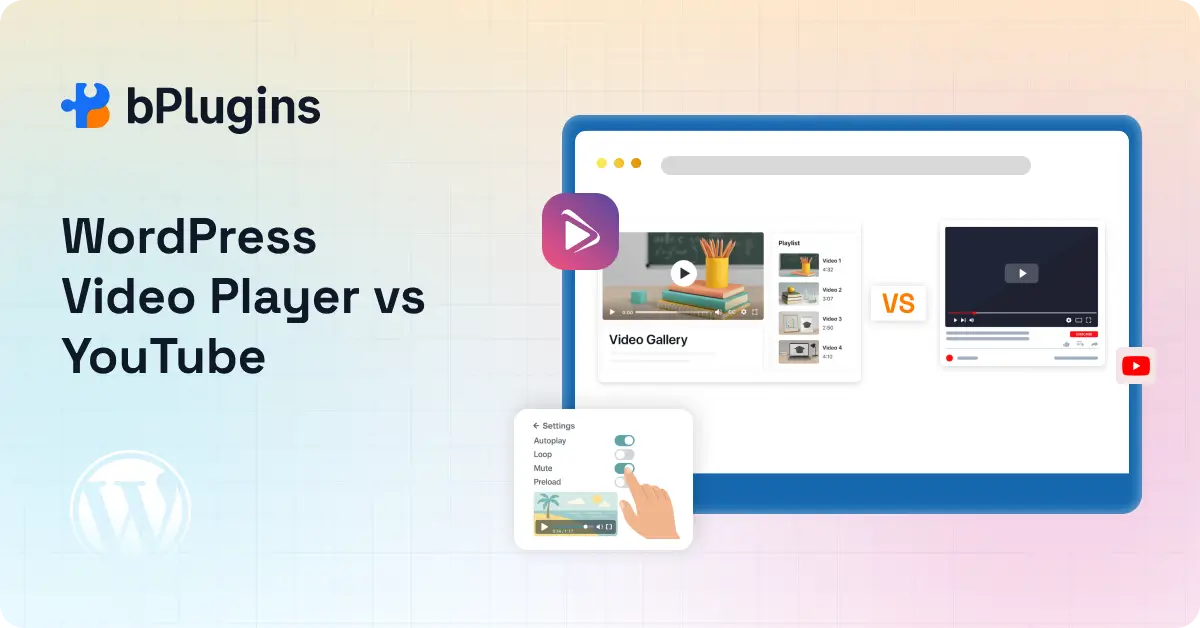
If you run a WordPress site and want to add video content, your first thought is probably YouTube. It is free. It is easy. And almost everyone uses it.
But easy is not always smart.
YouTube gives you a platform. It does not give you control. For creators who want to build a real business around their content, that distinction matters more than most people realize.
In this post, we break down the full picture of self-hosted video vs YouTube on WordPress. We cover SEO, branding, performance, conversions, and more, so you can figure out which approach actually fits your goals.
Quick Verdict
If you want a fast answer, here it is.
YouTube is great for reach. If you want people to discover your content for the first time, YouTube is a powerful engine. It is free, it handles everything, and the audience is already there.
Self-hosted video, done properly, is better for control. When you host video on your own WordPress site using a proper video player and CDN, you keep your audience on your site, protect your brand, and drive more conversions.
The key phrase is “done properly.” Raw self-hosting, meaning just uploading a video file to your WordPress media library, is not what we are talking about.
That approach is slow and inefficient. What we mean is an optimized delivery system: a lightweight HTML5 video player, adaptive streaming, and a CDN. That combination changes everything.
Here is a quick comparison to help you decide:
| Factor | YouTube | Self-Hosted (Optimized) |
| Content ownership | No | Yes |
| Branding control | Limited | Full |
| SEO traffic ownership | YouTube’s | Yours |
| Monetization control | Platform rules | Full control |
| Privacy and access control | Limited | Full |
| Performance | Fast | Fast (with CDN) |
| Cost | Free | Varies |
| Best for | Discovery and reach | Conversions and retention |
What Is YouTube Video Embedding in WordPress?
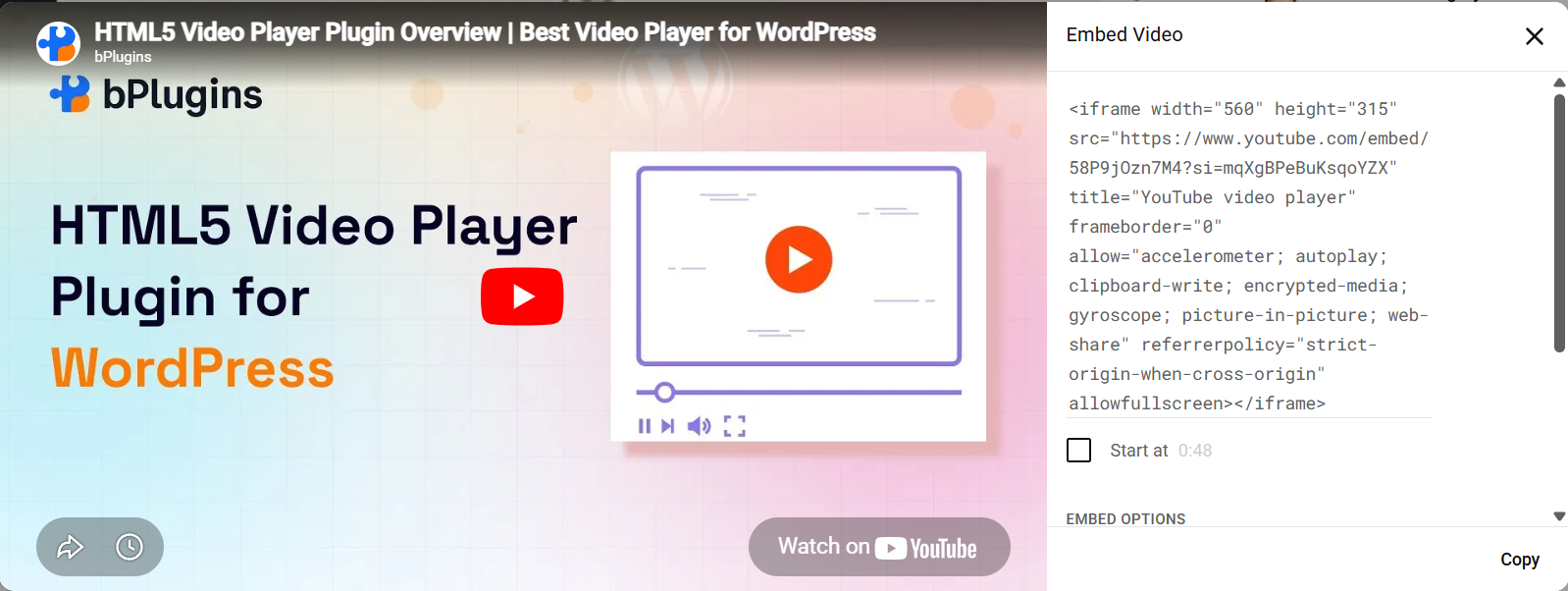
When most people talk about using YouTube on their WordPress site, they mean embedding. You upload a video to YouTube, copy the embed code or URL, and paste it into your WordPress editor. WordPress then displays it as an iframe.
This is different from actually hosting the video yourself. The video file lives on YouTube’s servers. Your website just shows a player that pulls from there.
What you get with YouTube embedding:
- Free video hosting with no storage limits
- Fast load times, because YouTube serves the video, not your host
- Access to a massive built-in audience
- Automatic captions, mobile playback, and quality adjustments
What you give up:
- Control over what plays after your video ends (suggested videos, ads, competitor content)
- Your audience’s attention, because YouTube’s interface pulls them away
- Branding consistency
- Any say in how the player looks
- Ownership of the viewing experience
Think of YouTube as rented land. You build something on it, but you do not own it. YouTube can remove your video, change its algorithm, or show ads from your competitors right next to your content. That has happened to real creators, and it will keep happening.
Explore Presto Player vs HTML5 Video Player: Which WordPress Video Plugin Should You Choose?
What Is Self-Hosted Video in WordPress (The Right Way)?
Self-hosted video does not mean uploading a 500MB MP4 file to your WordPress media library and hoping for the best. That approach will slow your site down and create a frustrating experience for visitors.
The right way to self-host video on WordPress looks like this:
- Store your video files on optimized cloud storage
- Deliver them through a CDN so they load fast no matter where your visitors are
- Use our HTML5 video player plugin to give you full control over the playback experience
With this setup, you get a lightweight, responsive player you can fully customize. You can add your logo, control the colors, disable related videos, add chapters, and more. The video loads fast because the CDN handles delivery. And your WordPress site takes no performance hit.
This is what we mean by “modern self-hosting.” It is a controlled delivery system, not a file dump.
Most blog posts on this topic equate self-hosting with uploading directly to the media library and then write it off as bad for performance. That is only true if you skip the optimization step. With the right setup, self-hosted video performs just as well as YouTube and does a lot more for your business.
WordPress Video Player vs YouTube: Head-to-Head Comparison
1. Content Ownership and Control
When you upload a video to YouTube, you agree to its terms of service. That includes giving them a license to use your content. More practically, it means they can remove your video at any time if it violates their policies, even if you disagree with the decision.
This has happened to educators, businesses, and creators across every niche. One policy update, one automated flag, and your content disappears. If that video was tied to a product launch or a paid course, the damage is real.
With self-hosted video on WordPress, you own everything. The file is yours. The player is yours. No one can pull it down.
2. Branding and User Experience
Embedding a YouTube video on your WordPress site means bringing YouTube’s branding into your space. The YouTube logo sits in the corner of every player. When the video ends, YouTube serves a grid of suggested videos. Some of those will be from your direct competitors.
You have no say in any of that.
With a self-hosted player, you control the full experience. You can add your own logo, match the player colors to your brand, and remove all distractions. The viewer stays focused on what you want them to do next.
This matters a lot for conversion-focused pages. If someone is watching a product demo or a course preview and a competitor’s video shows up in the suggested panel at the end, you have just handed a potential customer to someone else. Self-hosted video eliminates that risk.
3. SEO Impact
This is where the conversation gets interesting, and where most articles on this topic fall short.
YouTube does rank well on Google. YouTube videos often appear in featured results and at the top of search pages. If discovery is your goal, YouTube’s authority works in your favor.
But here is what that actually means: the traffic goes to YouTube, not to your website.
Someone searches for your topic, finds your YouTube video, watches it on YouTube, and maybe visits your channel. Your WordPress site gets nothing. No pageview. No dwell time. No on-site engagement signal.
When you host video on your own WordPress site, the opposite happens. The visitor lands on your page, watches your video there, and Google registers that engagement on your domain. Dwell time improves. Bounce rate drops. These are real signals that influence how Google ranks your other content.
You can also add VideoObject schema markup to your self-hosted video pages. This tells Google exactly what your video is about and gives you a shot at appearing with a video thumbnail in search results while keeping the click pointed at your site.
For self-hosted video SEO, the honest breakdown looks like this:
- YouTube wins for discovery, meaning people find you for the first time
- Self-hosted wins for SEO ownership, meaning keeping traffic on your site and building domain authority
If you want to grow a media presence and reach new audiences, YouTube helps. If you want to rank your own website and convert visitors into customers, a self-hosted video is the stronger play.
4. Monetization and Conversions
YouTube’s monetization model is built around YouTube. Ads are controlled by the platform. Revenue is shared on YouTube’s terms. You need a significant number of subscribers and watch hours before you even qualify. And at any point, YouTube can adjust what you earn.
With self-hosted video, you control the entire monetization structure. You can gate videos behind a membership. You can use them to sell online courses. You can embed videos on product pages to drive purchases. You can create webinar recordings that only paying customers can access. None of that requires sharing revenue with anyone.
For creators selling a course, a SaaS product, a consulting service, or a digital download, self-hosted video is a direct conversion tool. YouTube is not.
5. Privacy and Access Control: A Strong Case for Private Video Hosting on WordPress
YouTube’s privacy settings are limited. “Unlisted” videos are not truly private. Anyone with the link can watch them. For premium content, that is not good enough.
With self-hosted video, you can restrict access completely. Only members of your site can see certain videos. You can integrate access control with your LMS or membership plugin. You can expire access after a set period or tie it to a specific subscription tier.
Private video hosting on WordPress is a critical feature for:
- Online course creators who sell access to video lessons
- SaaS companies with customer onboarding videos
- Businesses with internal training libraries
- Premium content sites with subscriber-only material
None of this is possible with YouTube. Even with unlisted links, there is no real access control.
6. Performance and Speed: Myth vs. Reality
You have probably heard this before: “Self-hosting video will slow down your WordPress site.”
That is true, but only under specific conditions.
If you upload a raw, uncompressed video file directly to your media library with no CDN and no optimization, your site will slow down. But that is not a problem with self-hosting. That is a problem with doing it wrong.
Here is what proper self-hosted video delivery looks like:
Lazy loading: The video player loads only when the visitor scrolls to it. Your page loads fast first, and the video follows.
Adaptive streaming: Video quality automatically adjusts based on the viewer’s internet speed. No buffering. No frozen frames.
CDN delivery: Your video is served from a server close to the viewer. Whether they are in New York or Nairobi, they get fast load times.
When you use a video player plugin built with these features in mind, the performance gap between self-hosted and YouTube closes dramatically. In many cases, the end viewer cannot tell the difference.
The difference is that your site keeps all the benefits.
Know about Fast-Loading Video Solutions for WordPress News Sites.
Why Serious Creators Are Moving Away from YouTube
Across every niche, the story is the same. Creators build audiences on YouTube, then realize the platform owns that relationship, not them.
YouTube controls the algorithm. If the algorithm stops pushing your content, your views drop overnight. You can have 100,000 subscribers and still struggle to reach them because YouTube decides how often your videos get shown.
YouTube controls ad revenue. Rates change. Policies change. You have no say.
YouTube owns the viewing experience. Your content plays alongside ads, competitor videos, and trending content that has nothing to do with your brand.
The creators who have figured this out are not abandoning YouTube completely. They are using it differently. They treat YouTube as a top-of-funnel channel, a place to get discovered. But their real business runs on owned infrastructure: their website, their email list, and their self-hosted video library.
That is the shift happening right now. You cannot build a stable business on a platform you do not control.
Explore Video Formats for WordPress Explained: MP4, WebM, OGV Compatibility Guide.
When YouTube Still Makes Sense
To be fair, YouTube is the right choice in some situations.
If you are just starting out and do not have a big audience yet, YouTube’s built-in reach is valuable. You can get discovered by people who have never heard of you. That is hard to replicate with a brand new website.
If your content strategy is built around viral or trending topics, YouTube’s recommendation engine can do a lot of heavy lifting.
If you are not selling anything directly from your videos and just want to share content with as many people as possible, YouTube is perfectly suited for that.
And if you have zero budget for CDN or hosting infrastructure right now, YouTube is a reasonable starting point while you build.
The issue is not YouTube itself. The issue is treating YouTube as your only strategy when you are trying to build a real business.
Check out Video Player Security in WordPress: Protecting Your Content from Theft.
The Hybrid Strategy: Best of Both Worlds
Here is the approach most articles miss completely, and it is the one that actually works.
The smartest creators do not pick one or the other. They use both, but for different purposes.
YouTube handles discovery. You publish videos there to get found by new audiences. YouTube’s algorithm, search visibility, and massive user base handle the top-of-funnel work.
Self-hosted video handles conversion. The moment someone lands on your WordPress site, your site takes over. Product demos, course previews, onboarding videos, and sales page videos all live on your own player. No distractions. No suggested videos. Just your content and your call to action.
The funnel looks like this:
YouTube (Awareness) >> Your WordPress Site (Interest) >> Self-Hosted Video (Engagement) >> Conversion
This is how course creators fill cohorts. This is how SaaS companies turn free trial users into paying customers. This is how membership sites grow their subscriber base.
You rent YouTube for reach. You own your website for results.
Read also Enterprise Video Player WordPress Plugins: Choosing for Large Sites.
How to Add Self-Hosted Video in WordPress Without Slowing Your Site
The process is straightforward once you have the right setup.
Step 1: Compress your video before uploading. Tools like HandBrake can reduce file size significantly without visible quality loss. Always do this first.
Step 2: Choose where to store your video files. For smaller sites, storing files on your hosting server works. For anything serious, use cloud storage like Amazon S3 or Bunny.net. This keeps your server resources free for running the site itself.
Step 3: Use a CDN for delivery. A CDN caches your video files across multiple global locations and serves them from the one closest to the viewer. This is what makes self-hosted video fast.
Step 4: Install HTML5 video player plugin. A good video player plugin gives you a fully customizable, lightweight player that works on all devices. You get full control over the interface, branding, and autoplay behavior without writing a single line of code.
Step 5: Add VideoObject schema to your video pages. Most good video player plugins handle this automatically. It helps Google understand your video content and can get you into video-rich search results.
Step 6: Test on mobile. Over half of web traffic comes from mobile devices. Make sure your player is responsive, and your video loads cleanly on a phone before you publish.
Best Use Cases for Self-Hosted Video in WordPress
Self-hosted video makes the most sense when the video is tied to a business outcome, not just a content play.
Online courses and LMS sites: Gate lessons behind membership or purchase. Control exactly who watches what. Track progress. None of this is possible on YouTube.
SaaS product demos: Show your product in action without risking a competitor’s demo appearing in the sidebar. Keep the visitor focused on your product.
E-commerce and product pages: Short product videos increase conversion rates on product pages. With self-hosting, these load fast and stay on-brand.
Membership and subscription content: Build a library of members-only video content. Control access at the individual video level or by subscription tier.
Internal training and documentation: Keep sensitive company videos completely private. Share securely with specific team members without worrying about YouTube’s limited access settings.
Check also Best HTML5 Video Player Plugins for WordPress: Customize, Protect, and Play.
Common Mistakes to Avoid While Embedding Video in WordPress
Uploading large raw video files to the WordPress media library. This is the single biggest mistake. It eats server resources and slows your site. Always compress and store files externally.
Skipping the CDN. Without a CDN, your video loads from one server for every visitor in the world. That causes slow load times. A CDN fixes this.
Not compressing the video. A 2GB file that could be 200MB with no visible quality loss will always cause problems. Compress first, every time.
Ignoring mobile. If your player is not responsive or your video is not optimized for mobile, you are losing a big chunk of your audience.
Forgetting VideoObject schema. This is a free SEO win that many people skip. Add schema markup to your video pages and improve your chances of showing up in video search results.
Autoplay with sound on. This drives visitors away instantly. If you use autoplay, mute it by default.
Learn about HTML5 Video Player Troubleshooting: Common Issues & Quick Solutions.
FAQs on Self-Hosted Video vs YouTube for Embedding Video in WordPress
Is self-hosted video better for SEO?
It depends on your goal. YouTube videos can rank well in Google search, but the traffic goes to YouTube. Self-hosted video keeps engagement on your own site, which improves dwell time and on-site signals. If you want to build SEO authority for your own domain, self-hosted video is the better choice.
Why not use YouTube for WordPress?
YouTube works, but it gives you very little control. Ads, suggested competitor videos, YouTube’s branding, and the risk of content removal are all real concerns. For conversion-focused pages, YouTube’s distractions actively hurt your results.
Can self-hosted videos rank on Google?
Yes. Add VideoObject schema markup to your video pages and follow standard on-page SEO practices. Google can index and rank self-hosted videos, and the click stays on your site instead of going to YouTube.
Is YouTube hurting my conversions?
It can. If you use YouTube-embedded video on landing pages, product pages, or sales pages, suggested videos and YouTube’s interface can pull visitors away right before they convert. Self-hosted video eliminates that risk.
What is the best WordPress video player plugin for self-hosting?
HTML5 Video Player is a solid option for private video hosting on WordPress. It is lightweight, fully customizable, mobile-responsive, and does not add unnecessary bloat to your site. It supports all standard video formats and gives you full control over the player interface.
Learn about Best Practices for Responsive Video Embeds in WordPress (Performance, Accessibility & SEO).
Final Verdict: Self-Hosted Video vs YouTube in WordPress
Here is the bottom line.
YouTube is a discovery engine. It is one of the most powerful tools for reaching people who do not know you yet. If you are building an audience from scratch, it is still one of the best options out there.
Self-hosted video is a business asset. It is what you use when you want to control the experience, protect your brand, keep visitors on your site, and drive real conversions. With the right player and delivery setup, it performs just as well as YouTube and does far more for your bottom line.
The creators building sustainable businesses are not choosing one or the other. They use YouTube to get found and their own WordPress site to convert.
Serious creators do not choose one. They control both.

 Save 90%