

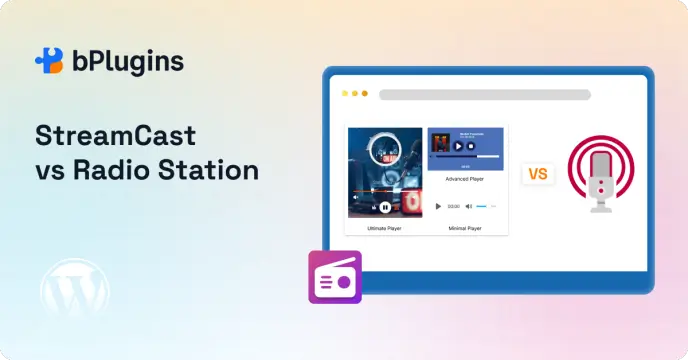
If you are setting up a radio site on WordPress, you have probably come across two popular options: StreamCast and Radio Station. Both handle live audio streaming. Both support SHOUTcast and Icecast. Both work with Gutenberg blocks.
So which one should you use?
That depends entirely on what you actually need. Some people just want to embed a live stream and go live fast. Others need a full content system with show schedules, DJ profiles, and program archives.
We have tested both plugins so you do not have to guess. This guide gives you a clear, honest comparison across setup experience, SHOUTcast and Icecast support, frontend player quality, site performance, pricing, and real use cases.
By the end, you will know exactly which one fits your situation.
What Is StreamCast?
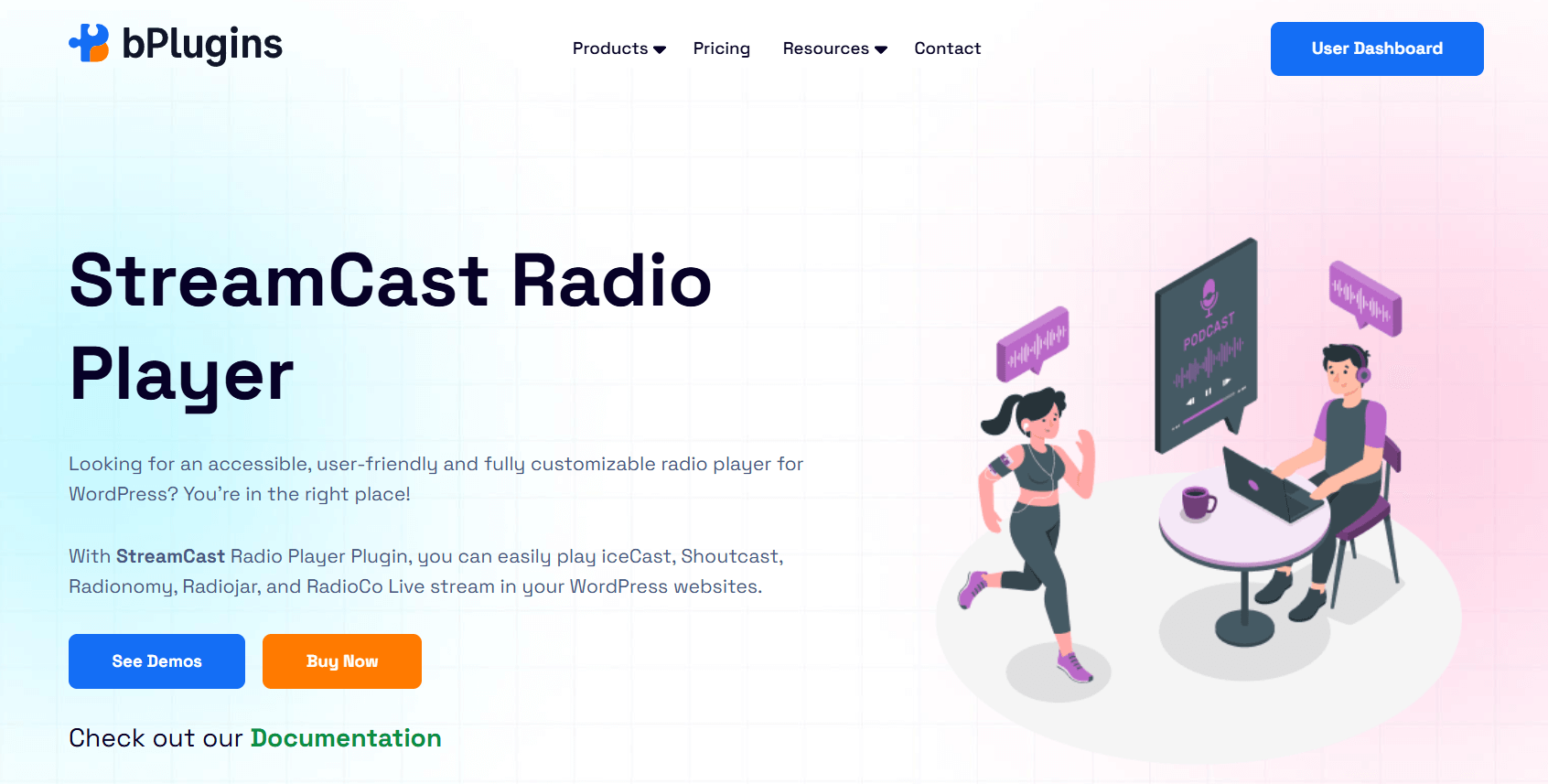
StreamCast is a WordPress radio player plugin that lets you embed live audio streams directly into your site using Gutenberg blocks or shortcodes. It connects to SHOUTcast, Icecast, Radionomy, Radiojar, RadioCo, and other streaming sources without any complex configuration.
It is built around one clear goal: getting a clean, responsive player onto your page fast so your listeners can start tuning in right away.
Unlike heavier radio plugins that bundle in a content management system for shows, schedules, and hosts, StreamCast focuses entirely on the player and the listening experience. That focus is exactly why it works so well for stream-first WordPress radio sites.
Key Features of StreamCast
Here is a breakdown of what StreamCast actually gives you.
Stream and Embed Options
- SHOUTcast and Icecast support
- Radionomy, Radiojar, and RadioCo compatibility
- Live stream URL embedding via shortcode or Gutenberg block
- Universal shortcode system for managing multiple streams from one plugin
Player Design and Customization
- 80+ professional, ready-to-use player skins
- Four player types: Minimal, Standard, Advanced, and Ultimate
- Advanced color customization beyond basic background colors
- Custom station images and background art in Ultimate mode
- Theme switching within Ultimate player mode
Playback and Controls
- Autoplay and default volume settings
- Keyboard shortcut support for accessibility
- Now-playing metadata, including track title and artist name
- Responsive design that adapts to phones, tablets, and desktops
Placement and Layout
- Flexible positioning: left, right, or center on any page
- Dedicated sidebar widget for persistent playback across pages
- Works in posts, pages, widget areas, and anywhere shortcodes are supported
Best Use Cases for StreamCast
StreamCast works best when you have a single live stream and want listeners to tune in without friction. It is a great fit for:
- Online radio stations with one active stream
- Internet radio channels running 24/7 content
- Community radio websites with a local audience
- Event broadcasts and live session streams
- Sites where the player is the main feature, not a content sidebar
- Podcast hosts who run occasional live sessions
- Anyone who wants fast setup and a clean listening experience over a full station CMS
If your goal is to build a site that says “tune in here” and does exactly that, StreamCast is built for you.
What Is Radio Station?
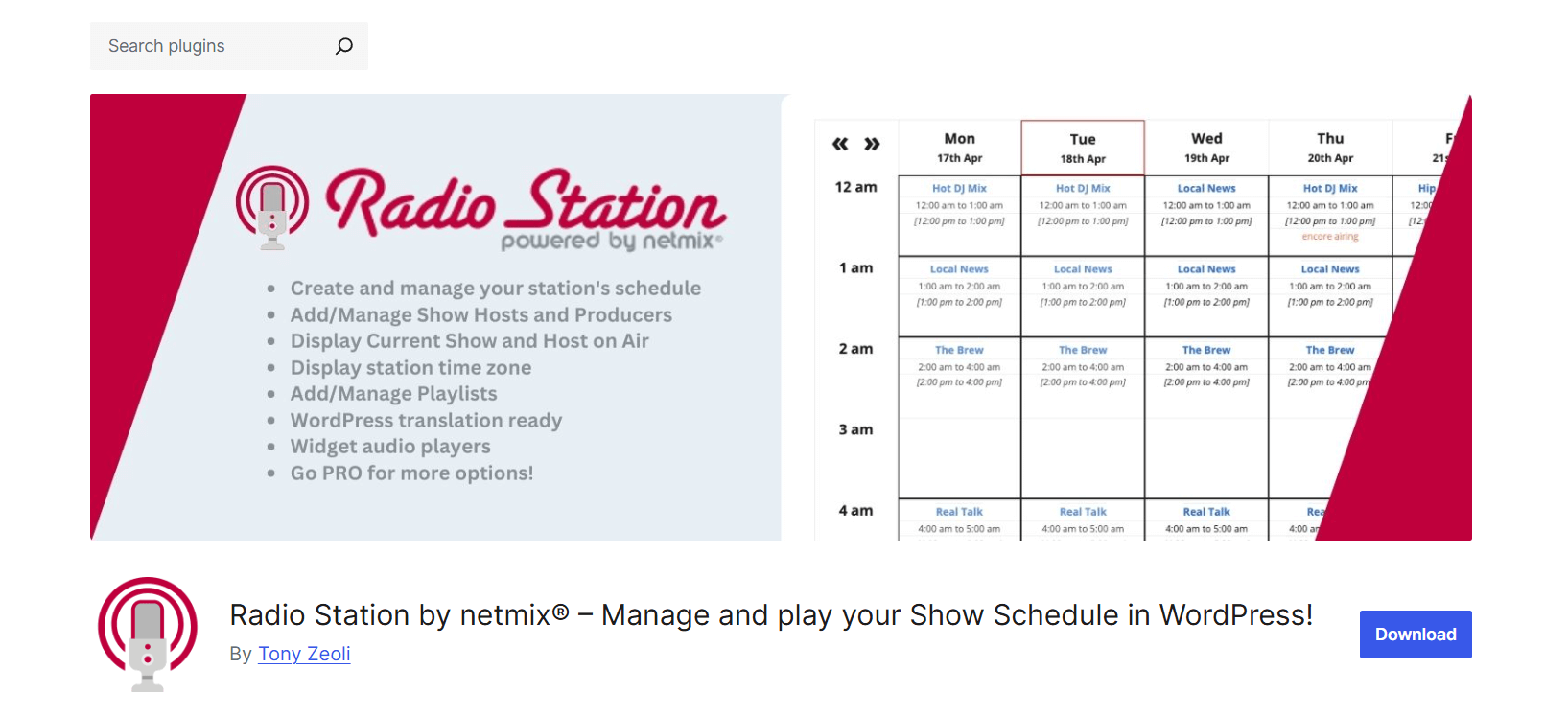
Radio Station by Netmix is a WordPress plugin built for broadcasters who need to manage a complete station website. It goes well beyond just playing a stream. You can create show schedules, assign DJ and host profiles, build playlists, publish program archives, and display all of it on a well-organized station site.
Think of it less as a player plugin and more as a full broadcasting content management system that happens to include a player. The player is part of the package, but the real strength is in how it organizes everything that goes on at a busy radio station.
It is used by thousands of stations worldwide, including FM and AM broadcasters, internet radio networks, and podcasters who publish regular episode schedules.
Key Features of Radio Station
Radio Station covers a lot of ground. Here is what you get.
Show and Schedule Management
- Weekly show scheduling with repeating shift timeslots
- Automatic shift conflict checker
- Schedule Override feature for one-off events and special programming
- Three schedule layout views: Table, Tabs, and List
- Automatic schedule pages with no coding required
- Show descriptions, featured images, and header images
- Timezone support with automatic listener timezone conversion
Team and Content Management
- DJ and Host user role assignment
- Producer user role with editing permissions
- Host and producer assignment to individual shows
- Playlist creation and show association
- Related posts assignment to shows
- Genre and Language taxonomy support for filtering and SEO
- Show archives and genre-based archive pages
Player and Listening
- Stream player supporting SHOUTcast, Icecast, Live365, and RadioCo
- Three audio scripts: Howler, Amplitude, and jPlayer
- Seven streaming format support: MP3, AAC, OGG, WebM, OPUS, and more
- Light and dark player themes
- Current show, upcoming shows, and current playlist widgets
Developer and SEO Tools
- Full show data REST API in JSON format
- Gutenberg blocks, classic widgets, and shortcodes for all features
- Automatic internal linking between shows, playlists, and hosts
- Netmix directory listing for extra exposure and a free backlink
Best Use Cases for Radio Station
Radio Station is the right pick when your site needs to do more than play audio. It works best for:
- FM or AM station websites moving their programming online
- Multi-show broadcasters with a rotating weekly schedule
- Radio networks managing multiple programs and production teams
- Stations that want DJ and host profile pages
- Sites that need listeners to browse show archives and playlists
- Any broadcaster where the website is the editorial hub of the station
StreamCast vs Radio Station: Feature Comparison
Here is a direct side-by-side look so you can see exactly where each plugin stands.
| Feature | StreamCast | Radio Station |
| SHOUTcast support | Yes | Yes |
| Icecast support | Yes | Yes |
| Gutenberg block | Yes | Yes |
| Shortcode support | Yes | Yes |
| Show schedule management | No | Yes |
| DJ / host profile pages | No | Yes |
| Quick stream embed | Excellent | Good |
| Lightweight setup | Best | More complex |
| Best for single live stream | Yes | Overkill |
| Multiple show workflows | Limited | Yes |
| 80+ player skins | Yes | No |
| Now-playing metadata | Yes | Yes |
| Sticky sitewide player bar | No (free) | PRO only |
| REST API for schedule data | No | Yes |
| Playlist management | No | Yes |
| Timezone conversion | No | Yes |
| Genre and language taxonomy | No | Yes |
| Performance footprint | Lightweight | Heavier |
The table tells a clear story. If your checklist stops at stream embedding and player design, StreamCast covers everything you need. If your checklist includes show management, DJ pages, and content archives, Radio Station is the tool for the job.
Ease of Setup: Which Plugin Gets You Live Faster?
This is where the two plugins differ the most. It is also the factor that matters most to people just starting out.
StreamCast Setup Experience
With StreamCast, getting your stream live takes about two to three minutes. Here is the full process:
Step 1: Install and activate StreamCast from the WordPress plugin directory.
Step 2: Copy your stream URL from SHOUTcast, Icecast, or whichever streaming service you use.
Step 3: Open any page or post in the WordPress block editor. Search for the StreamCast block and drop it in.
Step 4: Paste your stream URL into the block settings. Pick a player skin if you want.
Step 5: Hit publish.
That is it. No extra configuration needed before your first stream works. No content to create, no settings panels to fill out, no user roles to assign. The block works the moment you add it.
This simplicity is a real advantage, especially for people who are not WordPress developers. If you know how to write a post in WordPress, you can embed a live radio stream with StreamCast.
One more thing worth mentioning: StreamCast gives you 80+ player skins right out of the box. You do not need to touch a single line of CSS to make the player look polished. Pick a skin that matches your site, and you are done.
Radio Station Setup Experience
Radio Station has a more involved setup process. Before your station site looks complete and works well, you typically need to work through several layers.
Step 1: Install and activate the plugin. Go to the plugin settings and configure global options: station name, timezone, streaming URL, and station logo.
Step 2: Create your shows. Each show gets its own WordPress post with a title, description, images, and shift timeslots. For a station with eight shows, you are creating eight separate entries.
Step 3: Configure shift timeslots for each show. Set the days and hours each program runs. The plugin checks for conflicts automatically, which is helpful, but it still adds time to the setup process.
Step 4: Assign DJ and host roles to your WordPress users. Visit each user profile, assign the Host or Producer role, then go back to each show and attach those users.
Step 5: Create playlists and connect them to the relevant shows.
Step 6: Set up the automatic schedule page and choose your preferred layout view.
Step 7: Add schedule widgets, current show widgets, and upcoming show widgets to the right spots on your site.
For a station with ten shows, five hosts, and a few playlists, this can easily take a full afternoon. That is not a knock on Radio Station. It is handling a much bigger job, and the structured setup reflects that.
But if you are a solo operator with one stream and no team, every one of those steps is work you simply do not need to do.
Honest Winner on Setup
StreamCast gets you to a live, working stream in under five minutes. Radio Station takes fifteen to thirty minutes at minimum, and several hours for a complete station build.
If speed to launch matters to you, or if you are not yet sure whether the radio concept will work for your site, StreamCast lets you test the idea without a big time investment upfront.
SHOUTcast and Icecast Support: A Closer Look
SHOUTcast and Icecast are the two dominant protocols for self-hosted internet radio streaming. Both plugins support them, but the experience of connecting your stream is quite different.
How StreamCast Handles Stream Connections
StreamCast treats your stream URL as the starting point for everything. You enter the URL into the block or shortcode, and the plugin handles the rest. It works with:
- SHOUTcast v1 and v2 streams
- Icecast streams
- Radionomy hosted streams
- Radiojar streams
- RadioCo streams
- Standard MP3 and AAC audio URLs
There is no separate settings panel to configure for stream connections. The URL does the work. This makes it easy to switch streams, test different sources, or run multiple players on different pages, each pointing to a different stream URL.
For stations that broadcast across multiple channels or want to embed a player in several locations with different streams, this flexibility saves real time.
How Radio Station Handles Stream Connections
Radio Station sets the stream URL once in the global plugin settings. That URL becomes the station stream used everywhere on the site. Supported sources include SHOUTcast, Icecast, Live365, and RadioCo.
Radio Station supports seven audio formats: MP3, AAC, M4A, OGG, OGA, WebM, and OPUS. It also includes three separate audio scripts (Howler, Amplitude, jPlayer) with fallback options. This multi-script approach improves browser compatibility across older devices and less common browsers, which is worth considering if your audience is diverse.
Now-Playing Metadata
Both plugins pull now-playing metadata from your stream and display it in the player. Listeners see the current track title and artist name in real time without refreshing the page.
StreamCast shows this metadata directly in the player interface. It appears cleanly next to the play controls. For an internet radio station where track information is part of the listening experience, this keeps things feeling live and active.
Radio Station also displays now-playing information. The PRO version includes animated track metadata in the sitewide player bar. The free version handles metadata in a more static way.
Practical Takeaway
If you are broadcasting via SHOUTcast or Icecast and want the simplest path to an embedded player with now-playing metadata, StreamCast is more direct. Paste the URL and everything else follows automatically.
Radio Station’s stream support is solid, but it sits inside a larger system. If you need that system, the player fits naturally. If you just need the player, the extra steps are unnecessary.
Frontend Listening Experience: What Your Visitors Actually See
The player your listeners interact with is the face of your station on the web. A clunky or confusing player drives people away. A clean, fast, well-designed one keeps them tuned in longer.
StreamCast Player Design
StreamCast puts real effort into the player interface. With 80+ skins across four player types, you get genuine design flexibility without writing a single line of CSS.
Here is what each player type offers:
Minimal: A stripped-down player with just the essentials: play, pause, volume. Works well when the player needs to sit quietly in the background without drawing too much attention.
Standard: The classic radio player layout. Clear controls, station name, now-playing info. A reliable choice for most radio websites.
Advanced: More controls and display options. Good for stations that want to show more information directly in the player.
Ultimate: Full customization with custom station images, background artwork, theme switching, and advanced color control. The right choice when the player is the centerpiece of the page and you want it to look distinctive.
All four types are fully responsive. They resize cleanly on mobile screens without losing any functionality. Controls stay usable on small screens, which matters a lot given how many listeners tune in from their phones.
The keyboard shortcut support is also worth noting. Listeners using screen readers or keyboard navigation can control playback without a mouse. That covers basic accessibility needs without any extra configuration.
Radio Station Player Design
Radio Station’s free player is clean and functional, but it offers less design variety than StreamCast. You get light and dark themes with three button style options. It works fine, but design customization is limited in the free version.
Where the Radio Station player really earns its value is in context. When a listener lands on your site and the player shows the current show name, the host photo, and a countdown to the next program, that creates a much richer experience than a plain audio player. For a full station website, that contextual layer is genuinely valuable.
The PRO version upgrades the player significantly with a persistent sitewide player bar. This bar stays visible as listeners browse between pages, so audio never gets cut off mid-song. It also adds animated track metadata and more color styling options. If you invest in PRO, the listening experience improves considerably.
Why Listener Retention Matters More Than You Think
Here is something worth thinking about. Every extra click or step between a visitor landing on your page and actually hearing audio is a chance for them to leave. Fewer barriers mean more listening time.
StreamCast reduces those barriers. The player is visible, the play button is obvious, and nothing on the page competes with it for attention. A visitor lands, sees a clean player, clicks play. That is a low-friction path to listening.
Radio Station’s content-heavy pages give listeners more to explore, but they also give people more reasons to click away before pressing play.
If listener retention is your top priority, the simpler path StreamCast creates has a real and measurable advantage.
Explore Top Radio Player Plugins for WordPress in 2025.
Performance and Site Speed Impact
WordPress site speed affects your search rankings, your user experience, and whether visitors stay long enough to actually listen to your stream. A slow site loses listeners before they find the play button.
StreamCast Performance Profile
StreamCast is a focused plugin with a small footprint. Here is what it adds to your site and what it does not.
What it adds: A player script, a CSS file for skin styling, and a small JavaScript file for stream handling.
What it does not add: Custom post types, schedule database tables, taxonomy registrations, extra admin menu items, or heavy scripts running on the frontend.
Pages with StreamCast embedded stay fast. The plugin loads only what is necessary to play a stream. On a performance-optimized site, this discipline makes a real difference.
If you run your site through Google PageSpeed Insights or GTmetrix with StreamCast active, the plugin contributes very little to load time. That is exactly what you want from a plugin doing one focused job.
Radio Station Performance Profile
Radio Station registers multiple custom post types: Shows, Playlists, and Schedule Overrides. It creates taxonomy tables for Genres and Languages. It stores schedule shift data in your WordPress database. It loads scripts for schedule management, widget countdowns, and player functionality.
None of this makes Radio Station a poorly built plugin. WordPress handles custom post types and taxonomies well, and on a properly hosted site you may not notice any speed difference at all.
But on slower shared hosting, or on sites where shows, playlists, and schedule entries accumulate over time, the database footprint grows. More queries, more data, more scripts.
If your site is already close to its performance limits, Radio Station will push it further. StreamCast will barely move the needle.
Caching and Hosting Considerations
Radio Station includes an option to AJAX-load schedule widgets to bypass page caches. This is a thoughtful feature. Cached pages might otherwise show stale show information. But AJAX loading adds another request on every page load.
StreamCast does not have this problem. It connects directly to a live stream URL, which is real-time by nature. There is no cached schedule data to worry about.
For sites using aggressive caching setups or performance-focused managed WordPress hosting, StreamCast integrates more cleanly and requires less workaround thinking.
Pricing: What Does Each Plugin Cost?
Understanding the cost of each plugin helps you make a realistic decision, especially if you are building on a tight budget.
StreamCast Pricing
StreamCast has a free version on the WordPress plugin directory. The free version covers core stream embedding with block and shortcode support.
The Pro version unlocks the full skin library, Ultimate player mode, advanced color customization, custom station artwork, and priority support. Pro is available as a one-time or annual purchase through the bPlugins website.
For most small to medium radio sites, the Pro version pays for itself in saved design time alone. Having 80+ professionally designed player skins available immediately means you skip the custom CSS work entirely.
Radio Station Pricing
Radio Station’s core plugin is free and open source on WordPress.org. The free version covers show scheduling, DJ profiles, playlists, schedule display, and the basic stream player. For many stations, the free version is all they ever need.
Radio Station PRO adds the persistent sitewide player bar, a visual schedule editor, auto-refreshing widgets, show episodes, host and producer profile pages, page builder modules for Elementor and Beaver Builder, and additional player color and theme options.
PRO runs on a subscription model. It is a worthwhile investment for established stations that genuinely need those features. For smaller stations still figuring things out, the free version gives you plenty to work with before committing to a paid upgrade.
When Radio Station Is Actually the Better Choice
We want to be upfront here. Radio Station is excellent software, and for the right situation, it is the better tool. Recommending StreamCast for everyone would not be honest.
Here is when you should choose Radio Station over StreamCast.
You manage a multi-show schedule. If your station runs eight, ten, or more shows per week with different hosts and timeslots, Radio Station’s scheduling system handles it well. You can display a full weekly program grid on your site, highlight the current show automatically, and show countdown timers to the next program.
You have a team of DJs, hosts, and producers. Radio Station lets you assign WordPress user roles to team members and give them editing access to their own shows without handing them full admin access. For a real broadcasting team, this kind of workflow control is important.
Your listeners care about specific shows. Not every radio listener is just looking for background audio. Fans of particular shows or hosts want to know when their favorite program airs. Radio Station gives those listeners the schedule information they need to keep coming back week after week.
You want show pages for SEO. Every show in Radio Station gets its own WordPress page with its own content. Over time, those pages can rank for show names, host names, topic keywords, and genre searches. Radio Station also includes a free directory listing on Netmix.com, a useful backlink from a domain registered since 1995.
You are building a proper station portal. If your website is the editorial center of your operation and you want listeners to explore show archives, read playlist histories, and follow their favorite hosts, Radio Station gives you the content infrastructure to build that kind of experience.
Check also Setting Up a Live Radio Stream in Your WordPress Site.
When StreamCast Is the Smarter Choice
For most stream-first WordPress radio sites, StreamCast gives you what you need with less time, less complexity, and a better out-of-the-box listening experience.
Choose StreamCast when:
You want to go live today. If you have a stream URL and a WordPress site, you can have a working, good-looking player on your homepage in under five minutes. No shows to create, no schedules to configure, no roles to assign.
You run a single channel. A single internet radio stream does not need a full station management system. It needs a great player. That is exactly what StreamCast delivers.
Player design matters to your brand. With 80+ skins and four player types, you get real design options without any custom development work. You can match the player to your site visually without touching a single line of CSS.
Site speed is a priority. If you care about Core Web Vitals scores or fast mobile loading, StreamCast adds minimal overhead to your pages. Every millisecond of load time matters when someone is deciding whether to stay or leave.
You are testing an idea. Not sure if a live radio stream makes sense for your site? StreamCast lets you try it without a major time investment. Embed a stream, see how your audience responds, and decide from there.
You are not technical. StreamCast requires no technical knowledge to configure. If you are a broadcaster who knows audio but is still learning WordPress, StreamCast is straightforward and forgiving.
You want less to maintain. Fewer moving parts means fewer things to break, update, and troubleshoot. StreamCast stays out of your way and does its job quietly.
Frequently Asked Questions
Which plugin is better for SHOUTcast and Icecast streams?
Both plugins support SHOUTcast and Icecast, but StreamCast is faster to connect. You paste your stream URL into a block or shortcode, and you are live in minutes. Radio Station also handles both protocols well, but stream setup happens inside a larger settings panel. For a straight stream embed with now-playing metadata, StreamCast is the quicker path.
Is StreamCast better than Radio Station for a single online radio channel?
Yes. If you run a single channel and just want listeners to tune in easily, StreamCast is the better fit. Radio Station’s scheduling and DJ features are useful, but they add setup time and database overhead that a single-stream site does not need. StreamCast gives you a polished, responsive player and 80+ skins. That is all a single-channel operator really needs.
Which plugin is easier for beginners?
StreamCast is much easier. Copy a stream URL, add the block, and publish. Most people go live in under five minutes. Radio Station requires you to understand custom post types, user roles, shift timeslots, and schedule configuration before everything works properly. It is well documented, but it takes more time and WordPress familiarity to set up.
Can Radio Station be too complex for simple stream websites?
It can. If you just need a player on a page, Radio Station’s full content system becomes overhead with no real payoff. You end up configuring shows, shifts, and schedules that your listeners never interact with. Start with StreamCast and bring in Radio Station only if your needs genuinely grow to require it.
Which plugin is better for Gutenberg?
Both support Gutenberg blocks. StreamCast’s block is straightforward: add it, enter your stream URL, pick a skin, and publish. Radio Station offers seven blocks covering the player, schedule, current show, upcoming shows, playlists, and more. For users who just need a player block, StreamCast is more intuitive. For a full station site, Radio Station’s block library gives you more to work with.
Does StreamCast affect site speed?
Very little. It loads a small JavaScript file and player CSS, nothing more. No custom post types, no database tables, no frontend admin scripts. For speed-sensitive sites or those targeting high PageSpeed scores, StreamCast’s lightweight footprint makes a real difference.
Can I switch from Radio Station to StreamCast later?
Yes. Install StreamCast, add your stream URL to a block or shortcode, and your player is live. You will lose the show pages, DJ profiles, and playlists from Radio Station, but the player replacement itself is simple. There is no technical lock-in on either side.
Final Verdict: Which WordPress Radio Plugin Should You Choose?
Both plugins are well-built and serve a clear purpose. The right choice simply depends on what you are building.
If you manage multiple shows, a rotating schedule, and a team of DJs, Radio Station is the tool for the job. It handles everything a proper broadcasting platform needs.
But for most WordPress radio site owners, the goal is simpler. You have a live stream, you want a great player, and you want to go live without spending hours on setup. StreamCast delivers exactly that. Fast setup, clean design, 80+ player skins, and a light performance footprint. It covers what the majority of internet radio sites actually need.
Start with StreamCast. If your station grows and you genuinely need scheduling, DJ pages, and a program archive one day, that is exactly when Radio Station makes sense to add. The best plugin is the one that fits where you are right now, not where you might be in three years.

 Save 90%