
Advance Custom HTML
Advance Custom HTML is the ultimate WordPress code editor plugin for developers, educators, and content creators. Write HTML, CSS, JavaScript, PHP, and Python with live preview, syntax highlighting, and professional formatting. Turn complex code into beautiful, interactive tutorials that engage your audience and boost your credibility.
- HTML, CSS, JS & PHP
- Live output preview
- Syntax highlighting
- One-click copy
Why Choose Advance Custom HTML?
Sharing code in WordPress shouldn’t feel messy. Advance Custom HTML transforms raw code snippets into professional, interactive displays that keep readers engaged and learning.
The Problem with Basic Code Sharing Tools
- Ugly, unreadable code blocks that turn readers away
- No live preview means readers can’t see results instantly
- Copy-paste nightmares with broken formatting and syntax errors
- Zero interactivity makes tutorials boring and hard to follow
- Mobile-unfriendly displays frustrate users on any device
- Lost credibility when your code looks unprofessional
A Better Way to Share Code in WordPress
- Display beautiful code with syntax highlighting and professional themes
- Show live results instantly as readers follow along
- Enable easy copying with one-click clipboard functionality
- Create responsive tutorials that work perfectly on all devices
- Build interactive experiences that keep readers engaged longer
- Establish authority with polished, professional code presentation
Live Output Preview
See your code results instantly in a split-screen layout. No more switching between editor and browser—watch HTML, CSS, and JavaScript come to life as you type.

40+ Beautiful Themes
Choose from dark, light, minimal, and colorful themes to match your brand. Professional styling makes your code tutorials look polished and trustworthy.

Syntax Highlighting
Support for HTML, CSS, JavaScript, PHP, Python, and more. Color-coded syntax makes code easier to read and understand for your audience.

One-Click Copy Button
Let readers copy your code instantly with a customizable clipboard button. No more frustrated users struggling with broken copy-paste formatting.

Powerful Features That Make Code Sharing Effortless
-
Live Output Preview
See your code results instantly in a split-screen layout. No more switching between editor and browser—watch HTML, CSS, and JavaScript come to life as you type.
-
40+ Beautiful Themes
Choose from dark, light, minimal, and colorful themes to match your brand. Professional styling makes your code tutorials look polished and trustworthy.
-
Syntax Highlighting
Support for HTML, CSS, JavaScript, PHP, Python, and more. Color-coded syntax makes code easier to read and understand for your audience.
-
One-Click Copy Button
Let readers copy your code instantly with a customizable clipboard button. No more frustrated users struggling with broken copy-paste formatting.
-
Draggable Preview Panel
Move the preview window anywhere on screen for optimal viewing. Flexible layout adapts to your workflow and content structure.
-
Mobile-Responsive Design
Your code displays perfectly on phones, tablets, and desktops. Responsive design ensures every reader gets a smooth experience regardless of device.
-
Autocomplete & Error Correction
Write code faster with intelligent suggestions and built-in error detection. Reduce typos and speed up your tutorial creation process.
-
Collapsible Code Blocks
Use fold gutter controls to collapse large code sections. Readers can expand what they need while keeping complex tutorials organized and scannable.
-
Custom Editor Sizing
Set exact height and width dimensions for your code editor. Control alignment (left, center, right) to fit perfectly in your content layout.
-
Line Numbers & Wrapping
Show or hide line numbers based on your needs. Enable text wrapping for long code lines or keep it clean with horizontal scrolling.
-
Active Line Highlighting
Highlight the current line for better focus during step-by-step tutorials. Helps readers follow along without getting lost in complex code.
-
Gutenberg & Classic Editor
Works seamlessly with both Gutenberg blocks and Classic Editor shortcodes. Choose your preferred editing method without limitations.
-
Font Size Control
Adjust code font size for optimal readability. Ensure your audience can read every character clearly, regardless of their screen or vision needs.
-
Tab Size Customization
Set custom tab spacing to match your coding style. Consistent indentation makes your code examples easier to understand and follow.
-
Lightweight Performance
Fast-loading plugin that won’t slow down your site. Clean, efficient code ensures your tutorials load quickly and rank better in search results.
Live Overview
Click on any section to view it live
-
Created a Design
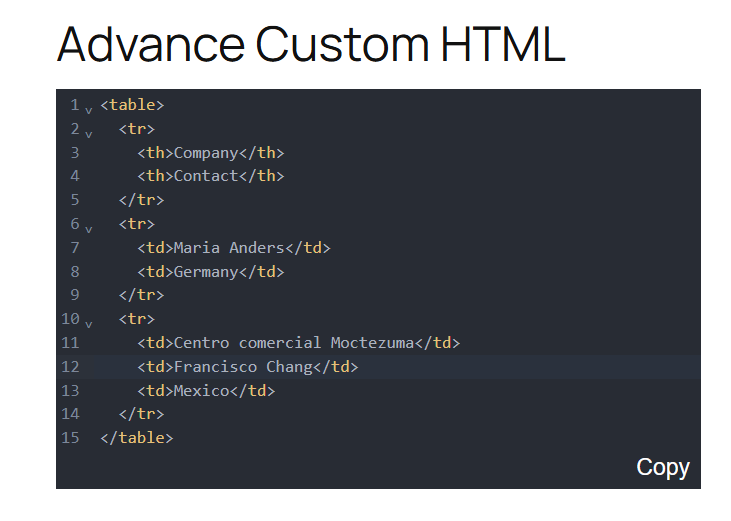
Created a Table Using Advance Custom HTML Preview live -
Code Snippets like GitHub
Display code snippets in GitHub(Dark) theme Preview live -
Copy Code Snippets
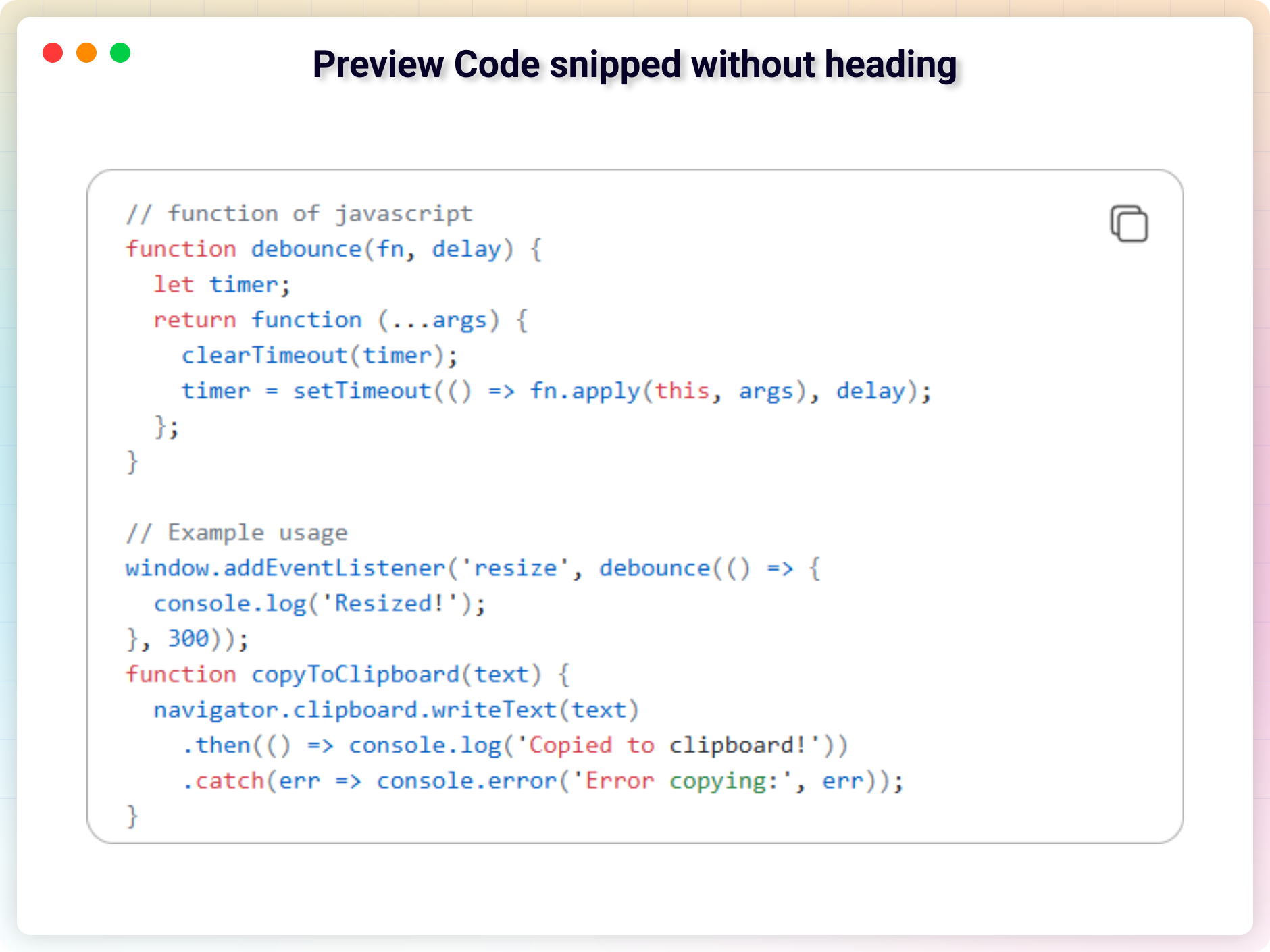
Display some Python code snippets with copy button (Pro) Preview live -
Heading and Copy Button
Display code snippets with heading & copy button (Pro) Preview live -
Heading and Copy Button at the Bottom Right
Code snippets with heading & copy button text in Bottom Right position (Pro) Preview live
No demos in this category.
Testimonials
What users say
2.5 rating · 4 real reviews from the WordPress.org community
-
WordPress.org
Helpful for advance code editing
I was looking for a plugin that can help to write code and make an instant preview and i found this one. It’s a new plugin but working very smoothly.
maviosres Read review
Explore the Interface, Settings & Preview Screens



Advance Custom HTML Tutorial
Yes, it will work with any standard WordPress theme.
Yes, you can change block settings from the Gutenberg block editor’s right sidebar.
You can use unlimited times as you want.
Visit our support portal to open a ticket -> https://bplugins.com/support. Also, You can send an email to support@bplugins.com
Yes, we provide plugin customization service (Paid). Please send us details via email: support@bplugins.com
We try to respond to our customer’s questions ASAP, however, it can take up to 72 hours.
No, you don’t have to buy a new license. You can go through the previous license!
When a new version will be released, you will receive an email notification.
Grow your business with the best plugin for WordPress!
We develop plugins and blocks for WordPress. Our focus is on out-of-the-box features and functionalities rather than large-scale projects. We are here to help small businesses and blog sites that use WordPress.

 Save 90%