
Lottie Player
Lottie Player brings your WordPress website to life with stunning, fast-loading animations that engage visitors and boost conversions. Add interactive motion graphics, animated icons, and eye-catching effects using simple Gutenberg blocks or shortcodes. No coding required—just upload, embed, and watch your content come alive.
- JSON & Lottie files
- Scroll & hover triggers
- Speed & direction control
- Block or shortcode
- 4+ 5 Rating
- 5000+ Active Installs
- 1500+ Paid Users
Why Choose Lottie Player?
Static websites lose visitors in seconds. Lottie Player helps you create engaging, interactive experiences that keep users on your site longer and drive more conversions through professional animations that load instantly.
The Problem with Static WordPress Sites
- Boring, lifeless content that fails to grab attention
- High bounce rates from unengaging user experiences
- Complex animation plugins that require coding knowledge
- Heavy video files that slow down your site speed
- Limited customization options that don’t match your brand
- Visitors leave before seeing your best content
A Better Way to Add Animations to WordPress
- Embed stunning animations directly into posts, pages, and widgets
- Use lightweight files that load 10x faster than videos
- Create interactive hover effects and click animations
- Customize every detail without touching code
- Boost engagement and reduce bounce rates instantly
- Keep visitors focused with smooth, professional motion
Embed Animations Anywhereon Your Site
Add Lottie animations to posts, pages, widgets or WooCommerce products without touching code. Use the Gutenberg block or a shortcode to drop motion exactly where you want it. Upload a JSON or .lottie file, or paste a LottieFiles link — done in seconds.
Fine-Tune Every Detailof Playback
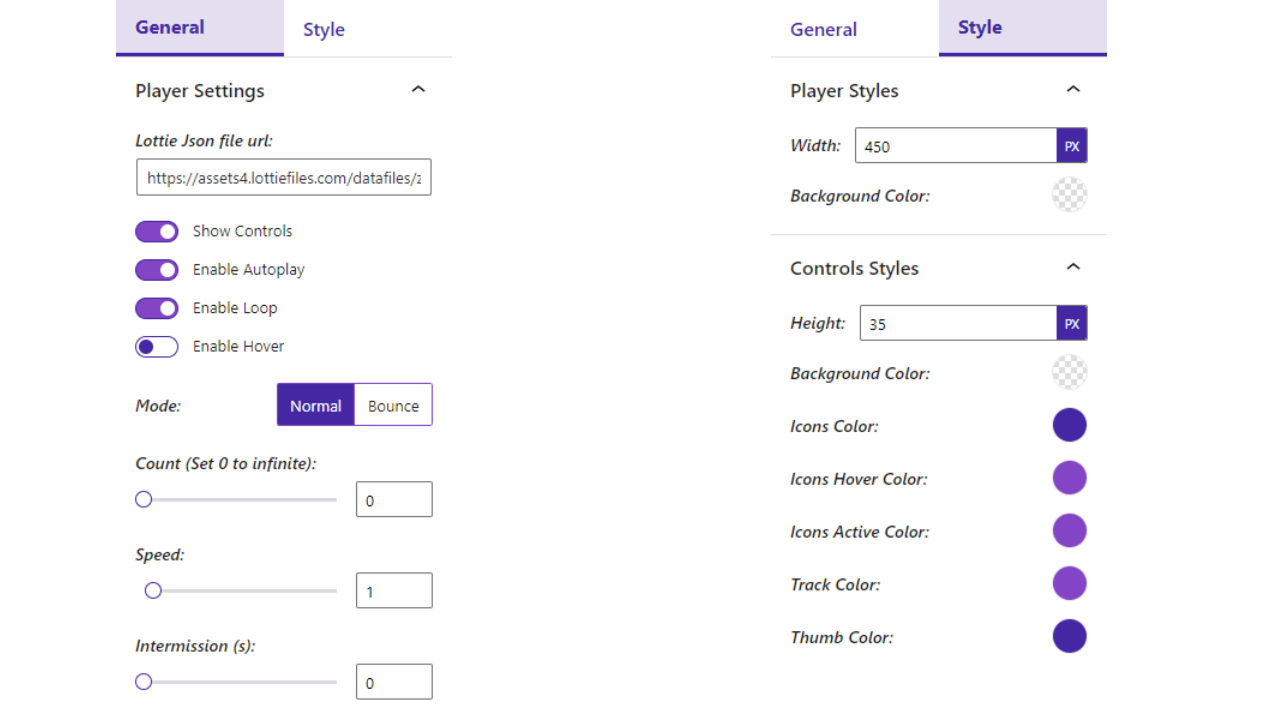
Control autoplay, looping, speed, direction, play count and intermission. Switch between normal and bounce modes, restyle the control bar, colors and caption, and set the width and alignment so every animation fits your design perfectly.
Add Scroll & HoverInteractivity
Trigger animations on hover, on click, or as visitors scroll. Build seek-on-scroll effects, play-on-view and cursor-driven motion that make your pages feel alive and interactive — all from simple, no-code controls.
Lightning-Fast, LightweightMotion
Vector Lottie files are a fraction of the size of GIFs or video and stay crisp on any screen. Lazy loading keeps pages fast and Core Web Vitals healthy, so you get rich motion without hurting performance or SEO.
Everything You Need to Create Engaging Animated Experiences
-
Gutenberg Block Integration
Add animations instantly using our native Gutenberg block. No shortcodes, no complexity—just drag, drop, and configure. Perfect for content creators who want professional results without technical hassles.
-
JSON & Lottie File Support
Use any animation format exported from After Effects, LottieFiles, or other tools. Upload files directly or paste URLs from animation libraries for unlimited creative possibilities.
-
Click-to-Play Animations
Transform static elements into interactive experiences. Visitors click your animations to trigger actions, navigate pages, or reveal content—perfect for CTAs and engaging storytelling.
-
Hover Effect Triggers
Create sophisticated microinteractions that respond to user behavior. Animations play when visitors hover over them, adding polish and interactivity that feels premium and modern.
-
Scroll-Based Animation Control
Sync animations with scroll position for captivating storytelling effects. Elements animate as users scroll, creating immersive experiences that keep visitors engaged throughout your content.
-
Autoplay & Loop Settings
Set animations to play automatically when pages load, or configure custom loop counts and intervals. Perfect for attention-grabbing headers, loading animations, and ambient effects.
-
Speed & Direction Control
Fine-tune animation timing with custom playback speeds, reverse direction, and alternating patterns. Create exactly the pacing and flow that matches your content strategy and brand personality.
-
Custom Player Styling
Match animations perfectly to your brand with customizable player controls, colors, backgrounds, and sizing options. Every element adapts to your design system seamlessly.
-
Mobile-Responsive Design
Animations look perfect and perform flawlessly across all devices. Automatic responsive scaling ensures your motion graphics maintain quality and impact on phones, tablets, and desktops.
-
Link Integration
Turn animations into powerful navigation tools by adding destination URLs. Create animated buttons, interactive menus, and clickable graphics that guide users through your site.
-
Shortcode Flexibility
Embed animations anywhere using our simple shortcode system. Add motion graphics to sidebars, footers, custom post types, and any theme location with complete control.
-
Caption & Accessibility Support
Add descriptive captions and alt text to improve accessibility and SEO. Your animations become more discoverable while ensuring all users can understand and interact with your content.
-
Advanced Interactivity
Unlock cursor-based animations, visibility triggers, container-relative scrolling, and advanced user interaction controls for sophisticated, app-like experiences that impress visitors.
-
Direct File Upload
Upload animation files directly to your WordPress media library instead of relying on external hosting. Better security, faster loading, and complete control over your animation assets.
-
Advanced Timing Controls
Set precise play counts, intervals between loops, scroll offsets, and complex trigger conditions. Create professional-grade interactive experiences with frame-perfect control.
-
Player
Default Player
Standard looping logo player. Preview live -
Minimal
Without Controls & Caption
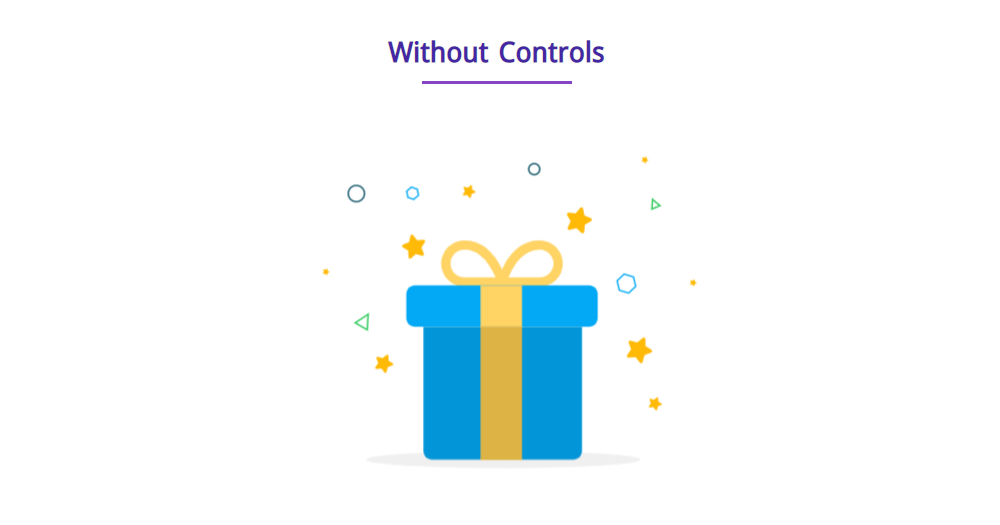
Loop without controls or captions. Preview live -
Effect
Bounce Mode
Logo bounces back and forth. Preview live -
Direction
Backward Direction
Logo plays in reverse loop. Preview live -
Customization
Custom Controls & Caption
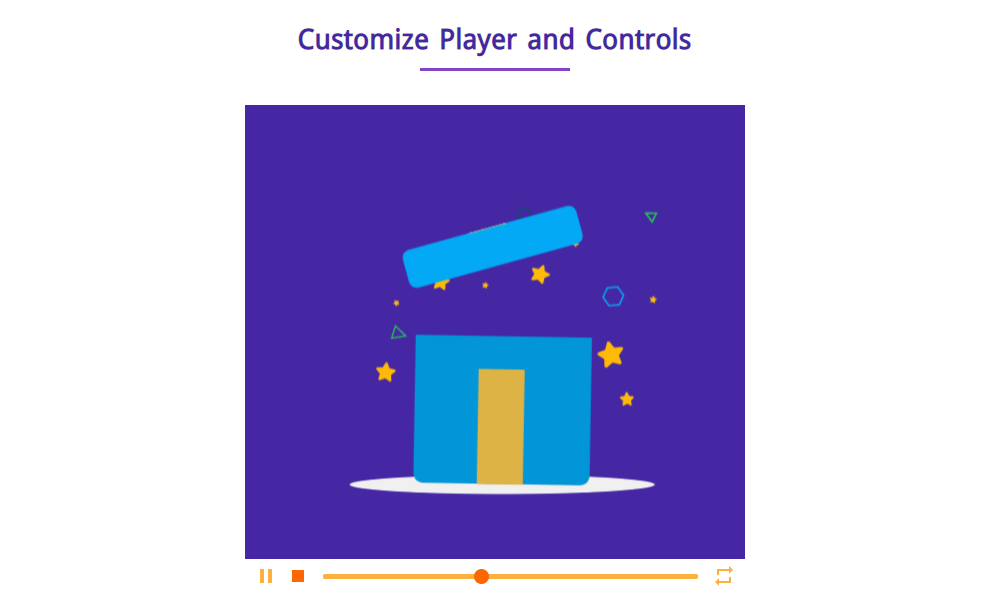
Player with styled controls. Preview live -
Interactive
Interactivity
Interactive logo player demo. Preview live
No demos in this category.
Testimonials
Loved by WordPress users
5.0 rating · 4 real reviews from the WordPress.org community
-
WordPress.org
Perfecto
Genial para meter animaciones lottie
juandemingo Read review
-
WordPress.org
Amazing Plugin!
This is a fantastic plugin to configure Lottie Animations. Simple and easy to use but still very customizable. The support team helped me a lot while i built my site. Thank you very much guys
bueroblanko Read review
-
WordPress.org
Recommended
Currently, we have little choice when we need to embed a Lottie animation into a WordPress website built with the block editor. Luckily, this plugin is far above average and offers many options to finetune your animation. (Tip: You can even use it to embed a Lottie animation with the Divi builder – simply create a sidebar, insert the animation there, and then bring it into your page using Divi’s sidebar module.)
Martin Sauter Read review
-
WordPress.org
Jajakallah Khairan
Jajakallah Khairan! I praying for you, for developing such a wonderful plugin.
hasina63 Read review
Explore the Interface, Settings & Preview Screens

Learning Materials
Looking for some learning materials. You will better understand how to use Lottie Player.
Yes! you can upload lottie json file as well as insert json url.
Yes! you can align the player in left, center and right.
Yes! you can change the style of player such as width, background color, control height, background color, control buttons color.
Yes! you can show the caption in bottom of player with typography, colors, padding and margin styles.
Visit our support portal to open a ticket -> https://bplugins.com/support. Also, You can send an email to support@bplugins.com
Yes, we provide plugin customization service (Paid). Please send us details via email: support@bplugins.com
We try to respond to our customer’s questions ASAP, however, it can take up to 72 hours.
No, you don’t have to buy a new license. You can go through the previous license!
When a new version will be released, you will receive an email notification.
Grow your business with the best plugin for WordPress!
We develop plugins and blocks for WordPress. Our focus is on out-of-the-box features and functionalities rather than large-scale projects. We are here to help small businesses and blog sites that use WordPress.

 Save 90%