
Content Slider Block
Showcase your content slider in a professional way. Content Slider Block adds a new block in the Block Editor by which you can create a professional-looking content slider!
- Sortable slides
- Keyboard & mouse control
- Autoplay & free mode
- Transition effects
- 4000+ Active Installs
- 450+ Paid Users
Responsive
Set slide column number in different devices. Also you can show/hide navigation and patination in tablet and mobile.

Effects
Apply many effects such as Slide, Fade, Creative, Cube, Coverflow, Flip, and Cards to make your slider standout.

ShortCode Powered
This plugin creates ShortCode for Each slider. So that you can show slider anywhere.
Sortable
Sort the slides to rearrange your slider without deleting the slides.

Premium Features of Content Slider Block
-
Sortable
Sort the slides to rearrange your slider without deleting the slides.
-
Autoplay Options
Delay time, Disable on Interaction, Reverse Direction, Pause on Mouse Enter, and Stop on Last Slide options fo autoplay
-
Free Mode
Free Mode option on drag slide, and Sticky option in Free Mode
-
Effects
Explore more effects such as Cube, Coverflow, Flip, and Cards.
-
Keyboard Control
Control the slider with the Keyboard arrow keys.
-
Mouse Control
-
Pagination
Show/Hide pagination in different devices(tablet and mobile).
-
Navigation
Show/Hide navigation in different devices(tablet and mobile).
-
Styles
Border for each slider. And Background and Padding for the wrapper.
-
ShortCode Powered
Display the slider anywhere using ShortCode
-
Basic
Default, Image Background
Simple slider with image background. Preview live -
Layout
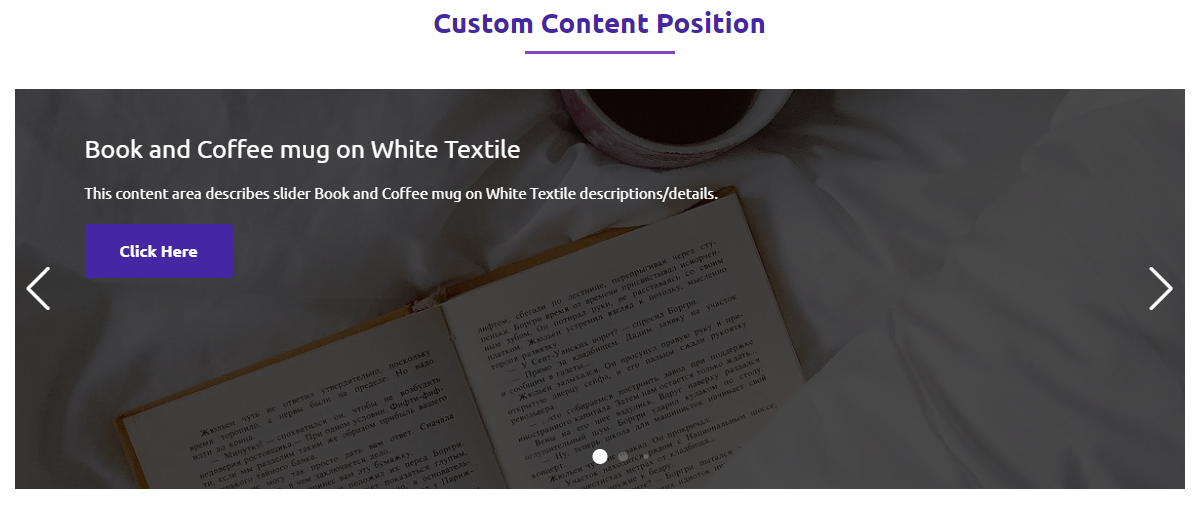
Custom Content Position
Place content anywhere inside slider. Preview live -
Layout
Image Slider, Width 80%
Centered slider with 80% width. Preview live -
Responsive
Hide Pagination-Navigation on Tablet and Mobile
Hide controls on small devices. Preview live -
Interaction
Slide on Mousewheel
Scroll mousewheel to slide. Preview live -
Effect
Fade Effect
Smooth fade transition effect. Preview live -
Effect
Cube Effect
3D cube-style transition. Preview live -
Effect
Creative Effect
Stylish creative slide motion. Preview live -
Effect
Coverflow Effect
3D coverflow-style slider. Preview live -
Effect
Flip Effect
Flip animation between slides. Preview live -
Effect
Cards Effect
Sliding cards stacking animation. Preview live
No demos in this category.
Testimonials
What users say
3.2 rating · 5 real reviews from the WordPress.org community
-
WordPress.org
simple and effective
very simple very effective please keep updating it Best Regards
tarekelnemrawy Read review
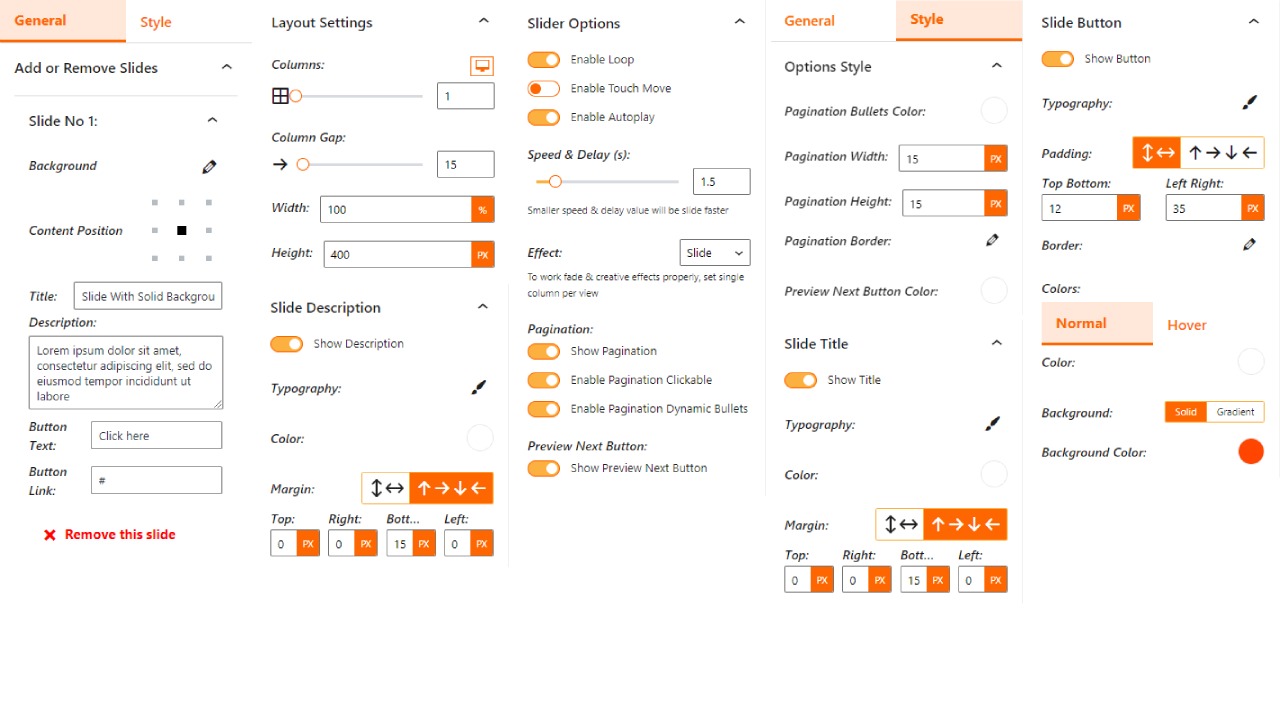
Explore the Interface, Settings & Preview Screens


Learning Materials
Looking for some learning materials. You will better understand how to use Content Slider Block.

Yes! you can add as many as slide in single slider
Yes! you can set different columns for different devices.
In single slide you can change background, border, content position, title, title color, description, description color, button, button link, button colors(text, background) and active/hover colors(text, background)
Yes! you can change the slider options. There are many options available.
Yes! you can change all elements visibility, typography, button padding border, also you can style pagination and navigation of slider.
Visit our support portal to open a ticket -> https://bplugins.com/support. Also, You can send an email to support@bplugins.com
Yes, we provide plugin customization service (Paid). Please send us details via email: support@bplugins.com
We try to respond to our customer’s questions ASAP, however, it can take up to 72 hours.
When a new version will be released, you will receive an email notification.
Grow your business with the best plugin for WordPress!
We develop plugins and blocks for WordPress. Our focus is on out-of-the-box features and functionalities rather than large-scale projects. We are here to help small businesses and blog sites that use WordPress.

 Save 90%