

Video content has become a core part of how people consume information online. Readers expect it. Search engines reward it. And a page without video in 2025 often feels thin compared to what competitors are publishing.
But here is what most WordPress site owners get wrong: adding video the wrong way can hurt your rankings more than help them.
We have watched WordPress sites lose ground in search simply because their media player loaded too slowly, blocked other resources, or caused the page to jump around mid-scroll. The fix is not removing the video. It is choosing the right video SEO WordPress plugin and setting it up correctly.
In this guide, we cover why video matters for search rankings, how media players directly affect your Core Web Vitals scores, what to look for when picking a plugin, and the practical steps to get everything working in your favor.
Why Video SEO Matters in WordPress
Before getting into the technical side, it helps to understand what video actually does for your search performance.
It Keeps Visitors on Your Page Longer
Video holds attention in a way that text alone rarely does. When a visitor finds a useful video on your page, they stay to watch it. That extended session time tells Google your content is worth ranking. Pages with video consistently outperform text-only pages on average session duration, and that difference builds into a real ranking advantage over time.
It Unlocks Video Rich Results in Search
One of the most underused benefits of optimizing video for SEO is eligibility for rich results. These are the search listings that include a video thumbnail, a duration badge, and sometimes a preview clip directly in Google Search.
Rich results take up more visual space than standard links. They draw the eye. Even without a ranking change, a video thumbnail in your search result can lift your click-through rate noticeably because your listing simply looks more compelling than the ones around it.
To qualify, your video needs proper structured data markup. We cover that in detail below.
It Shows Content Depth
Google rewards content that covers topics thoroughly. A well-placed video alongside your written content signals that you went beyond surface-level coverage. It also serves different types of learners. Some people read, some watch, and some do both. Pages that serve all three groups tend to earn more time on page, more return visits, and more links from other sites.
It Earns Backlinks Naturally
Useful video content attracts links from other sites in a way that text alone rarely does. When someone wants to reference a practical tutorial or walkthrough, linking to a page with a video feels more credible. That link-building effect is slow to build but feeds directly into domain authority over time.
How Media Players Affect Core Web Vitals
This is where many WordPress sites run into real problems. Core Web Vitals are Google’s performance metrics that measure the actual experience visitors have on your page. They are a confirmed ranking factor, and video is one of the most common reasons sites struggle to pass them.
Largest Contentful Paint (LCP)
LCP measures how long it takes for the largest visible element on your page to fully render. On video-heavy pages, the largest element is usually the video player or the thumbnail image displayed before the video loads.
When a player blocks page rendering, or when a large, uncompressed thumbnail takes several seconds to appear, your LCP score suffers. Google considers anything above 2.5 seconds a poor LCP result. Many default video embeds push pages well past that threshold without the site owner realizing it.
Interaction to Next Paint (INP)
INP replaced First Input Delay as a Core Web Vital in 2024. It measures how quickly your page responds to any user interaction throughout the entire visit, not just the first click.
Heavy video player scripts compete with the rest of your page for browser processing power. When a visitor tries to click, scroll, or interact while a bloated player script is still running, the response feels delayed. INP captures exactly that sluggishness and scores it accordingly.
Cumulative Layout Shift (CLS)
CLS tracks unexpected visual movement while your page loads. If you have ever visited a page and watched content jump around as it finished loading, you have experienced high CLS firsthand.
Videos are a common cause of this. When a player loads without predefined dimensions, the browser does not know how much space to reserve for it. Content renders first, then shifts to make room. Every shift adds to your CLS score, and Google considers anything above 0.1 a problem.
Why This Connects to Rankings
The relationship between video players and Core Web Vitals is direct and measurable. A bad plugin choice shows up immediately in Google PageSpeed Insights and Chrome User Experience Report data.
That same data feeds into how Google evaluates your pages for ranking. Picking the right video SEO WordPress plugin is not a minor technical preference. It is a decision with real SEO consequences.
How Browsers Actually Load Video (And Why It Matters)
Understanding how browsers handle video loading makes the best practices below click into place.
When a browser parses your page’s HTML, it discovers every resource the page needs: images, scripts, stylesheets, and embeds. Resources that appear in the page head get processed first because the browser needs them to know how to display the page.
A video plugin that loads its JavaScript in the head becomes a render-blocking resource. The browser pauses building the visible page until it finishes processing that script.
Even a half-second delay at that stage pushes back every other element on the page, including your LCP element.
Lazy loading solves this. Instead of loading the player script upfront, the player waits until the visitor scrolls to it.
By that point, the above-the-fold content has already loaded and rendered. The player no longer competes with anything critical. This is why lazy loading is not just a useful feature in a video SEO WordPress plugin. It is the most important one.
Best Practices for Video SEO in WordPress
Make Lazy Loading Non-Negotiable
Every video below the fold should only initialize when a visitor scrolls to it. This single change protects your LCP score and reduces the processing load during those critical first seconds of page load.
If your current plugin does not support lazy loading out of the box, that is a strong signal to switch to one that does.
Never Autoplay Videos Above the Fold
Autoplay above the fold forces the browser to fetch and buffer video data immediately. That request competes directly with everything else the page needs to load: fonts, images, stylesheets, and scripts. The result is a slower first render, a worse LCP time, and a frustrating experience for visitors on slower connections.
If you want autoplay, limit it to videos below the fold and always mute by default. Never autoplay the first visible piece of content on the page.
Load Plugin Scripts Only Where Needed
Some WordPress video plugins enqueue their JavaScript globally. Every page on your site carries that script weight, even pages with no video at all. That is wasted load time on pages that get nothing from it. Your plugin should only load its scripts on pages that actually contain a video embed.
Add Proper Video Metadata
Search engines cannot watch your video. They rely entirely on the information you provide to understand what the video contains and whether it matches a search query.
Every video on your site should have a descriptive title that includes the topic keyword naturally, a clear description that summarizes the content in plain language, and VideoObject schema markup that communicates all of this to Google in a structured format.
At a minimum, your schema should include the video name, description, thumbnail URL, upload date, and duration. When Google can read all of this from your page, it can confidently index your video and consider it for rich results.
A video sitemap builds on this. It is a separate XML file that lists all your videos with their metadata. You submit it to Google Search Console the same way you submit your regular sitemap.
It speeds up video indexing and increases your visibility in video search results. Tools like Yoast SEO support video sitemaps and pair well with a lightweight video SEO WordPress plugin to cover both performance and metadata.
Optimize Your Video Thumbnails
Your thumbnail does two jobs. In Google Search, it is your first impression with anyone who has not visited your site yet. On your page, it is often the largest image above the fold, which makes it a direct LCP factor.
Create custom thumbnails instead of relying on auto-generated frames. A clean, high-contrast image with a clear visual focus performs better in search results and on the page itself.
Compress it before uploading using a tool like Squoosh or ShortPixel. Always define the image dimensions so the browser reserves the correct space before the image loads, which prevents layout shift.
Limit Videos Per Page
Every video player instance adds weight. Four videos on one page means four sets of player scripts, four thumbnail images, and four initialization processes. Even with lazy loading, that is significant overhead.
Keep videos minimal per page. If your content genuinely needs multiple videos, consider linking to a dedicated video page or playlist instead of embedding everything inline. One well-optimized video per page almost always outperforms four mediocre ones.
Learn Video Formats for WordPress Explained: MP4, WebM, OGV Compatibility Guide.
What to Look for in a Video SEO WordPress Plugin
Not all video plugins are built the same way. Here is what actually matters when you evaluate your options.
Performance features to check:
- Lazy loading is enabled by default, not buried in settings
- Lightweight scripts that load only on pages with video
- Clean embed code that does not interfere with page rendering
- CDN compatibility for faster delivery of self-hosted files
SEO features to check:
- Automatic VideoObject schema markup
- Custom thumbnail support
- Fields for video titles and descriptions that feed into the schema output
- Caption support and ARIA labels for accessibility
UX features to check:
- Fully responsive player across all screen sizes
- Standard playback controls that visitors recognize immediately
- Custom branding options that do not add extra script weight
Check out the Best Practices for Responsive Video Embeds in WordPress (Performance, Accessibility & SEO).
Why Lightweight Players Win on Core Web Vitals
Two plugins can offer nearly identical features on the surface while performing completely differently under the hood. The architecture is what separates them.
A lightweight video player ships minimal JavaScript. Less JavaScript means faster parsing, faster execution, and less competition for browser resources. Every kilobyte of JavaScript costs download time, parse time, and execution time. Lightweight players keep that cost low.
Deferred loading removes the player from the critical rendering path entirely. Rather than loading during the initial page render, the script waits until the video is actually needed.
An efficient HTML structure reduces layout and paint work for the browser. Bloated player widgets often add layers of nested elements that the browser has to process and style. A minimal player adds only what the video needs to function.
On mobile, all of this matters more. Mobile processors are slower, connections are often less reliable, and users are less patient. A player optimized for mobile performance directly supports Google’s mobile-first indexing, which determines how your site ranks across all devices.
Learn more about Video Player Security in WordPress: Protecting Your Content from Theft.
How the HTML5 Video Player Plugin Supports Video SEO
One plugin that takes a performance-first approach is HTML5 Video Player. It is built with speed as the foundation rather than layering performance features onto an already heavy system.
Lightweight by Design
The plugin keeps its JavaScript footprint small. It does not bundle features you will never use, and it does not load scripts across your entire site. That discipline shows up directly in PageSpeed Insights scores.
Works With Multiple Video Sources
You can use it with self-hosted video files, YouTube, Vimeo, or direct external video URLs. Different content types benefit from different hosting approaches, and the plugin handles all of them without requiring separate tools for each source.
Responsive Across All Devices
The player adapts to any screen size automatically. Given that Google evaluates your site on its mobile version first, a player that handles mobile correctly by default saves you a significant amount of troubleshooting.
Customizable Without Extra Scripts
You can control the player’s layout and appearance without loading additional scripts to support those customizations. The customization options stay practical and lightweight, which reflects the right priorities for a performance-focused video SEO WordPress plugin.
Built to Reduce LCP Impact
The plugin’s loading behavior is designed specifically to minimize LCP impact. Videos wait to initialize until they are needed, which keeps the initial page render fast and Core Web Vitals scores in a healthy range.
Heavy Plugins vs. Lightweight Players: A Direct Comparison
| Feature | Heavy Video Plugins | Lightweight Players |
| Script size | Large, bundled with unused features | Minimal, loads only what is needed |
| Core Web Vitals impact | Often causes LCP and CLS issues | Built to protect your scores |
| Script loading | Often loads globally on all pages | Loads only on pages with video |
| Customization | Complex, heavy UI dependencies | Focused and lightweight |
| Schema support | Varies, often requires manual setup | Built in or easy to configure |
| Mobile optimization | Inconsistent across screen sizes | Responsive by default |
| SEO performance | Mixed, depends on configuration | Better potential with proper setup |
Additional Performance Tips Worth Applying
Pair Video With a Caching Plugin
A caching plugin like WP Rocket or W3 Total Cache works alongside your video setup to cache assets, minify scripts, and reduce server response times. Video optimization and page caching address different layers of performance but complement each other well. Good caching makes a lightweight video setup even faster.
Add Video Transcripts
A text transcript below your video gives search engines more content to index from the page. It also improves accessibility for visitors who prefer to read or cannot play audio in their environment. Transcripts add genuine content value without any performance cost and can help your page rank for long-tail keyword variations that appear naturally in the video’s spoken content.
Test Every Page After Adding Video
Run a PageSpeed Insights test after adding a video to any page. Compare your LCP, INP, and CLS scores before and after the embed. If any score drops noticeably, that is a clear signal to check whether lazy loading is working correctly and whether the thumbnail is compressed. Regular testing catches performance problems before they compound into ranking issues.
Self-Host When You Can
Self-hosting gives you full control over delivery, caching, and file compression. You avoid the third-party script overhead that comes with external embeds. When bandwidth is a concern, pairing self-hosted video with a CDN gives you control and fast delivery to visitors in different locations.
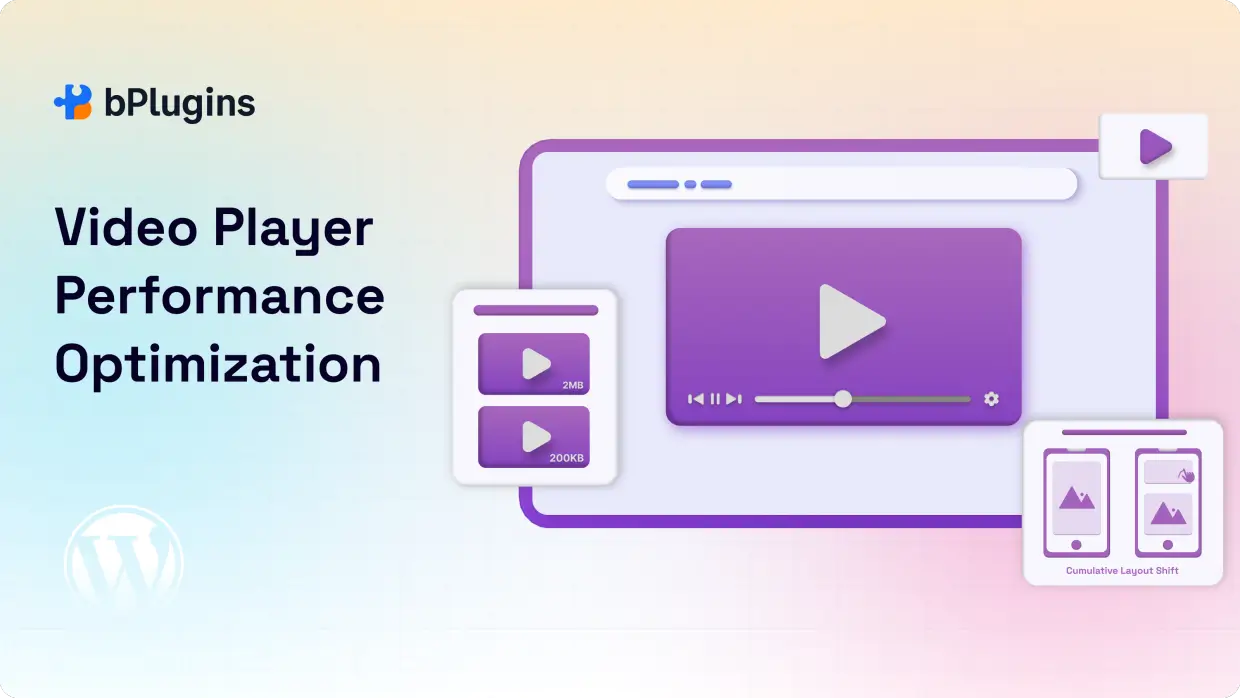
Read also Video Player Performance Optimization: Speed Up Your WordPress Site.
Video SEO Mistakes That Quietly Hurt Rankings
Autoplaying above the fold. This forces the browser to fetch and buffer video data immediately, competing with everything else the page needs to load. It damages LCP and frustrates visitors on slower connections.
Heavy iframes without lazy loading. Standard YouTube and Vimeo iframes load significant third-party JavaScript the moment the page opens. Without lazy loading, that script runs during your most critical loading window.
Ignoring mobile playback. If your video player underperforms on mobile, it can negatively impact your rankings across all devices, as Google prioritizes indexing the mobile version of your site.
Mixing video sources without managing scripts. Embedding content from YouTube, Vimeo, and other hosts on the same page increases the number of external connections the page must make, each adding latency.
Skipping schema markup. Without the VideoObject schema, Google cannot reliably identify your video as a candidate for rich results. Every video you publish without structured data is a missed visibility opportunity.
Forgetting to compress thumbnails. Large uncompressed thumbnail images are one of the most consistent causes of poor LCP scores on video pages. It is also one of the easiest fixes and one of the most frequently skipped.
Read also Best HTML5 Video Player Plugins for WordPress: Customize, Protect, and Play.
Frequently Asked Questions
What is the best video SEO WordPress plugin?
The right answer depends on your setup, but the best option for most WordPress sites combines lightweight loading with built-in SEO features like VideoObject schema support and video sitemap compatibility. HTML5 Video Player works well for sites that want to protect Core Web Vitals without sacrificing functionality.
Do videos slow down WordPress websites?
They can, but the plugin is what makes the difference. A plugin that loads heavy scripts globally will slow every page on your site. A lightweight player with lazy loading built in can host video with minimal impact on load speed. The video itself is not the problem. How the player loads is what determines your performance outcome.
How do I improve Core Web Vitals with video on my pages?
Start with lazy loading to protect LCP. Compress your thumbnails and define their dimensions to prevent CLS. Avoid autoplay above the fold. Pick a plugin that loads minimal JavaScript only on pages with video. These four steps address the root cause of most Core Web Vitals problems that video creates.
Is self-hosting video better for SEO?
Self-hosting gives you more control and generally produces better performance because you avoid third-party script dependencies. That said, YouTube embeds can work well for SEO if you implement lazy loading and add proper schema markup. The best approach depends on your hosting setup and how much control you want over the delivery experience.
Do video players affect Largest Contentful Paint?
Yes, often significantly. If your player or its thumbnail is the largest visible element above the fold, it becomes your LCP element. A slow player or a large uncompressed thumbnail pushes LCP past Google’s 2.5-second threshold. A lightweight player with a compressed, properly sized thumbnail is the most direct fix.
Should I add transcripts for video SEO?
Yes, whenever it is practical. Transcripts give search engines additional text to index, improve accessibility, and help your content rank for long-tail variations that appear naturally in your video’s spoken content. They add real value with no performance cost.
Conclusion
Video is one of the most effective tools you have for improving engagement, building authority, and earning visibility in search. But it only works when the technical foundation supports it.
A poorly chosen media player quietly damages the performance of every page it touches. It slows load times, fails Core Web Vitals checks, and creates a worse experience on mobile, all without triggering any obvious warning in your WordPress dashboard.
The solution starts with picking the right video SEO WordPress plugin. One that loads minimal JavaScript, supports lazy loading by default, handles VideoObject schema markup, and performs cleanly on mobile covers the most important ground. That combination protects your Core Web Vitals scores while giving your video content the visibility it deserves in search.
HTML5 Video Player is worth testing if you want a performance-first option that does not compromise on features. Add it to a page, run a before-and-after comparison in PageSpeed Insights, and look at the LCP, CLS, and INP scores. The data will tell you what changed.
Getting video right in WordPress is not complicated. It just requires making the right plugin choice and following through with the setup. Do that, and video becomes one of the strongest assets in your SEO strategy.

 Save 90%